EasyManua.ls Logo

ADWA AD1000 - User Manual

ADWA AD1000
76 pages
Print Icon
To Next Page IconTo Next Page
Loading...
1
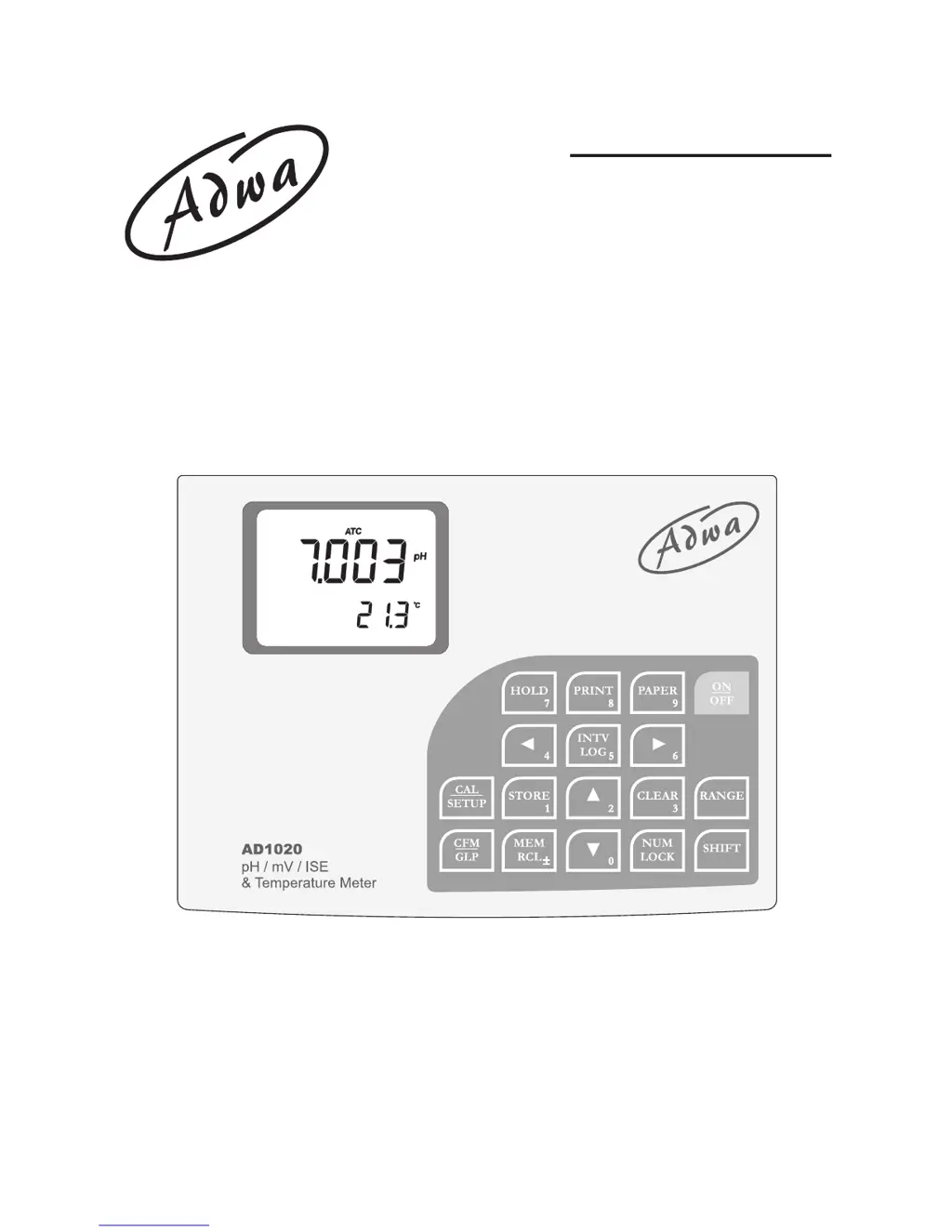
AD1000 and AD1020
pH/mV/ISE/Temperature
Bench Meters
USER MANUAL
www.adwainstruments.com

Questions and Answers

  • E
    Eric CastroAug 14, 2025
    Why is my ADWA Measuring Instruments display showing blinking dashes during pH measurements?
    • R
      Robert MullinsAug 14, 2025
      Blinking dashes on the display of your ADWA Measuring Instruments during pH measurements indicate that the pH sample is out of range. Make sure the pH of the sample is within the specified range. You should also calibrate the device and check the electrolyte level and general condition of the pH electrode.
  • M
    Matthew FernandezAug 17, 2025
    Why are explicit warnings displayed during pH calibration of my ADWA AD1000?
    • B
      Brittney KleinAug 17, 2025
      Explicit warnings during pH calibration of ADWA Measuring Instruments indicate a dirty or broken pH electrode, or contaminated reference buffers. Follow the instructions displayed on the meter to resolve this issue.
  • M
    Martin MartinAug 20, 2025
    Why does the reading fluctuate up and down on my ADWA Measuring Instruments?
    • J
      Joshua BryantAug 20, 2025
      Fluctuating readings, or noise, in ADWA Measuring Instruments can be due to a clogged or dirty junction, or low electrolyte level if you are using refillable electrodes. Clean the electrode and refill it with fresh electrolyte if applicable.
  • S
    Sean HernandezAug 25, 2025
    What to do if the display shows blinking reading during measurements on ADWA AD1000?
    • K
      Kelsey MeltonAug 25, 2025
      If the display shows blinking readings during measurements on your ADWA Measuring Instruments, it means the reading is out of range or the electrode is not connected. Check the sample or connect the electrode.
  • D
    David SmallAug 27, 2025
    What causes an out of range error in the mV scale on ADWA AD1000?
    • Z
      zachary37Aug 27, 2025
      An out-of-range error in the mV scale on ADWA Measuring Instruments is often due to a dry membrane or dry junction. Soak the electrode in AD70300 storage solution for at least one hour to resolve this.
  • L
    Laura JohnstonAug 30, 2025
    What does “Err xx” error message displayed on ADWA AD1000 Measuring Instruments mean?
    • S
      sandra21Aug 30, 2025
      If your ADWA Measuring Instruments display an “Err xx” error message, it indicates an internal error. Try turning the meter off and then on again. If the error persists, contact the dealer.
  • D
    Darren WatkinsSep 3, 2025
    Why does my ADWA Measuring Instruments display all LCD permanently at start-up?
    • M
      Mary HughesSep 3, 2025
      If your ADWA Measuring Instruments display all LCD permanently at start-up, one of the keys may be blocked. Check the keyboard or contact the vendor.
  • L
    lindsey27Sep 6, 2025
    Why do I hear a long beep when pressing a key on my ADWA Measuring Instruments?
    • J
      James AllenSep 7, 2025
      A long beep when pressing a key on ADWA Measuring Instruments indicates that the key has no function in the current mode or the end of the range has been reached with the ARROW keys. Avoid pressing keys without function in the current mode.
  • J
    Joe MacdonaldSep 9, 2025
    Why can't I introduce digits with the numeric keys on ADWA AD1000?
    • J
      Jeremy SmithSep 9, 2025
      If you cannot introduce digits with the numeric keys on your ADWA Measuring Instruments, it means the maximum value for the corresponding range has been reached. Delete some digits to proceed.

Summary

Introduction and Specifications

Introduction to AD1000;AD1020 Bench Meters

Overview of the bench meters and their primary measurement functions.

Technical Specifications

Detailed instrument specifications including range, resolution, and accuracy.

Device Interface and Operation

Front and Rear Panel Overview

Identification of controls, displays, and connectors on the device.

Connecting and Starting the Instrument

Guide to connecting the instrument and performing the initial start-up.

Measurement Modes and Usage

Instructions for performing pH, ORP, Relative mV, and Ion measurements.

Calibration Procedures

pH Calibration

Preparation, procedure, and options for pH calibration.

Relative mV and ISE Calibration

Steps for calibrating Relative mV and Ion Selective Electrode (ISE) measurements.

Setup, Logging, and Data Handling

Instrument Setup and Configuration

Modifying instrument settings like alarms, logging intervals, and units.

Data Logging and Retrieval

Instructions for automatic and manual data logging and viewing stored data.

Hold Function and Printing

Using the Hold feature to freeze readings and printing data.

Maintenance and Troubleshooting

Temperature and mV Calibration

Procedures for calibrating temperature and mV measurements.

pH Electrode Maintenance

Guidelines for pH electrode conditioning, storage, and cleaning.

Troubleshooting Guide

Diagnosing and resolving common instrument problems.

Accessories

Compatible Electrodes, Probes, and Solutions

List of available and compatible accessories and consumables.

ADWA AD1000 Specifications

General IconGeneral
BrandADWA
ModelAD1000
CategoryMeasuring Instruments
LanguageEnglish