1.3.1 Operation - Wi-Fi Connection
◆ Firstly please install the AEE APP on your mobile devices. You can see the icon on your
devices if the APP is successfully installed.
◆ Open S70 and activate Wi-Fi.
◆ Open Wi-Fi on your mobile devices to search for the wireless source named “AEE Magicam.”
Select the source and connect to the S70. (Default pass word is: AEE12345)
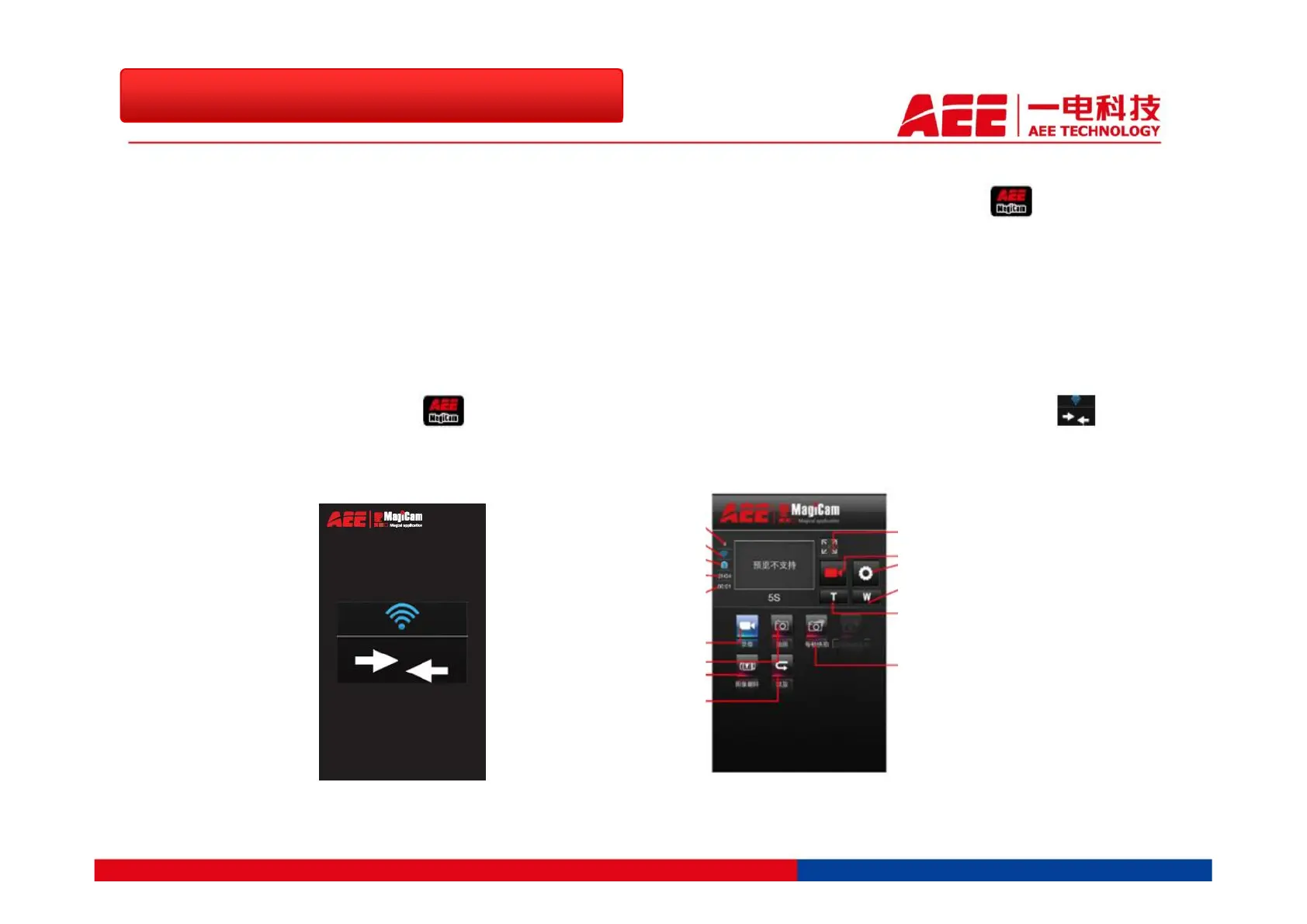
◆ Then hit the APP icon on your mobile devices, you can see the interface turns to .
Hit the arrow to enter the Wi-Fi control interface.
1.3 More Convenient Wi-Fi Extension
Wi-Fi Connection Interface Wi-Fi Control Interface
Total Number of Files
Wi-Fi Status
Battery Status
Remaining Recording Time
Number of Remaining Photos
Video Recording Mode
Single Shot Mode
180°Turn Over
Playback Mode
Maximize Preview
Current State Icon/Stop/Start Button
Preference Setting
Zoom Out
Zoom In
Fast Shot Mode



 To Next Page