Operating Instructions
12
Adjust the water softener to the
hardness of the water in your area as
stated in the table:
0 1. The dishwasher must be switched off.
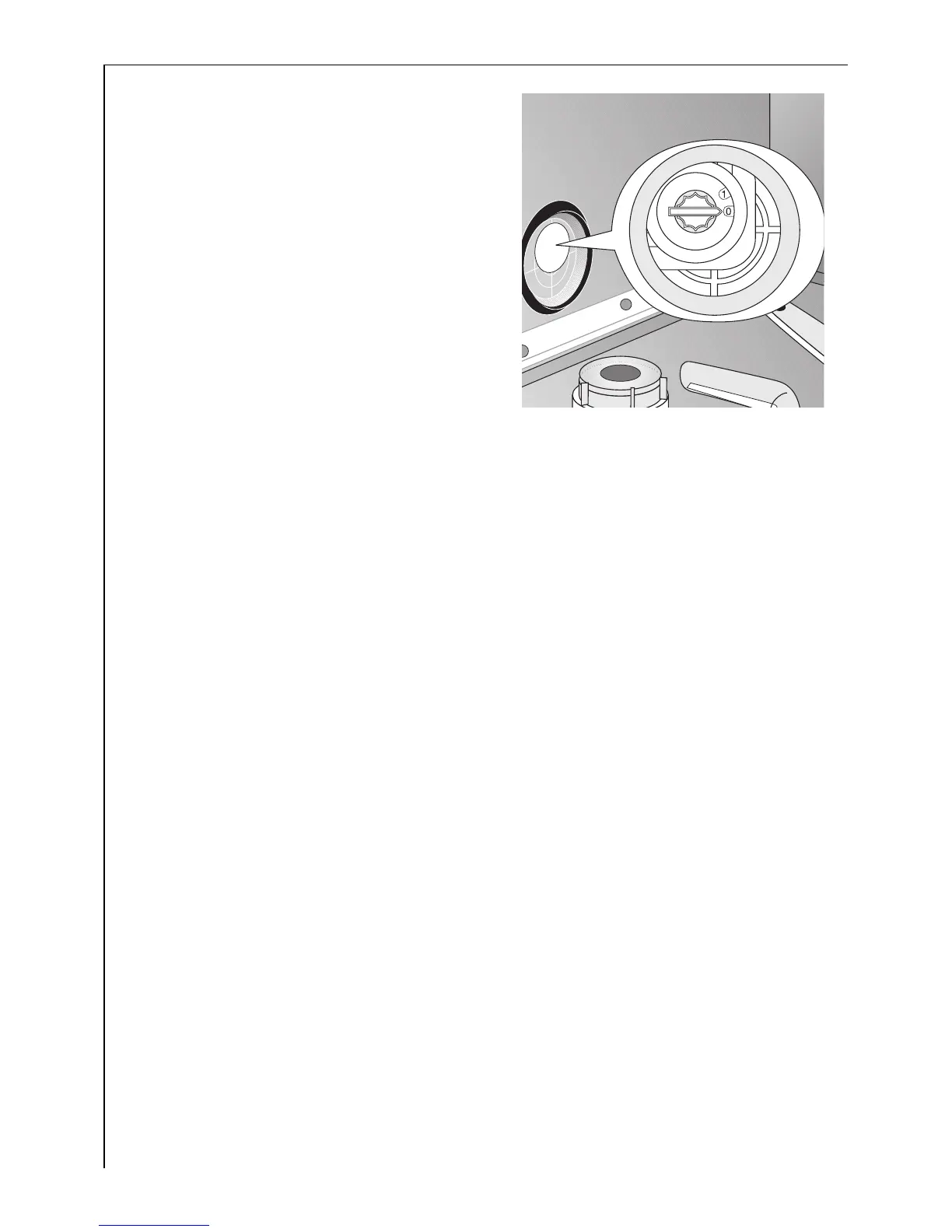
2. Manual adjustment:
Open the dishwasher door.
3. Remove the lower rack from the
dishwasher.
4. Turn the water hardness switch to 0
or 1.
5. Re-position the lower rack.
6. Electronic adjustment:
Simultaneously press and hold down function buttons 1 and 2.
7. Press the ON/OFF button.
The LED displays for the engaged function buttons will flash.
8. Press function button 2 again.
The multi-display will show which hardness setting has been set.
9. Pressing function button 2 increases the hardness setting by 1.
(Exception: hardness setting 0 follows hardness setting 9).
10. Once the hardness setting is set correctly, press the ON/OFF switch.
The hardness setting is then saved.



 To Next Page