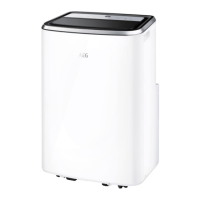
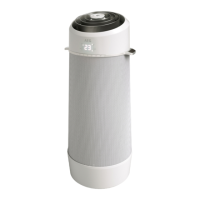
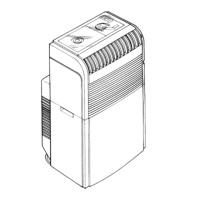
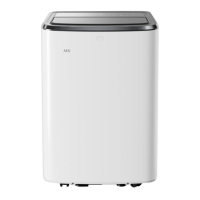
This document is a user manual for a portable air conditioner, specifically covering models AXP26U339CW, AXP26U559HW, AXP34U339CW, AXP34U339BW, AXP34U339HW, and AXP35U539CW. It provides comprehensive instructions for safe operation, installation, usage, and maintenance of the appliance.
The portable air conditioner is designed to provide cooling, heating (on some models), fan-only operation, and dehumidification (dry mode) for indoor spaces. It is a self-contained unit that can be moved between rooms, offering flexibility in climate control. The unit utilizes a flammable refrigerant (R290), and specific warnings regarding its handling and storage are provided to ensure safety.
Function Description
The core function of the portable air conditioner is to regulate room temperature and humidity. It operates in several modes:
- Cooling Mode: In this mode, the unit extracts warm air from the room and exhausts it outside through a duct. This process lowers the room temperature, providing a cooling effect. The user can adjust the desired temperature and fan speed. Continuous drainage is not typically required in this mode for optimal performance, as condensate is collected internally.
- Heating Mode (on some models): For models equipped with a heat pump, the unit can provide warmth by reversing the refrigeration cycle. In this mode, the exhaust adaptor hose must be used to direct cold air outside, while warm air is released into the room. Temperature and fan speed are adjustable, and continuous drainage is necessary.
- Fan Mode: This mode circulates air within the room without engaging the cooling or heating functions. It's useful for improving air circulation and can be operated without the exhaust or drainage hoses. The fan speed can be selected by the user.
- Dry Mode: This mode is designed to dehumidify the room. The unit removes moisture from the air, and warm air is blown out from the exhaust air outlet. Continuous drainage is required in this mode to dispose of the collected condensate. Fan speed cannot be adjusted in Dry mode.
- Auto Mode: When set to Auto mode, the air conditioner intelligently selects between cooling, heating (if applicable), or fan-only operation based on the user-set temperature and the current room temperature. The unit automatically controls the room temperature around the set point, and fan speed is not user-selectable in this mode.
Usage Features
The portable air conditioner is equipped with a control panel and various features to enhance user experience and convenience:
- Control Panel: The unit features a user-friendly control panel with indicators for temperature/time, power, timer, louver swing, mode selection, temperature/timer adjustment, fan speed, filter reset, sleep mode, WiFi indicator, and scheduler indicator.
- Temperature and Fan Speed Adjustment: Users can easily set their desired room temperature and select from various fan speeds (Auto, Min, Mid, Max) to customize their comfort level, except in Dry and Auto modes where fan speed is automatically managed.
- Timer Function: The timer allows users to schedule the unit's startup or shutdown, offering flexibility and energy saving. The delay can be set in increments from 0.5 hours up to 24 hours.
- Louver Swing Function: This feature enables the top louver to swing up and down, distributing airflow more evenly across the room.
- Sleep Mode: Activating Sleep mode provides a comfortable temperature setting and helps save energy, typically by gradually adjusting the temperature during the night. This mode is available in Cool, Heat, or Auto modes.
- Child Lock: To prevent unintended operation, the unit includes a child lock feature, activated and deactivated by pressing the "MODE" button for 5 seconds.
- WiFi Connectivity: The unit is equipped with a WiFi module, allowing it to connect to a home WiFi network. This enables remote control and scheduling through a dedicated AEG App. A blinking WiFi indicator signifies temporary loss of connectivity.
- Scheduler: When connected to the app, users can set scheduled events, and the scheduler indicator on the control panel will light up to confirm an event is running.
- Installation: The unit requires an exhaust hose to be connected and directed outside when in cooling or heating mode to expel warm/cold air. The hose can be extended up to 150cm, but keeping it at the minimum required length is recommended for efficiency. A window kit (optional for some models) facilitates easy installation of the exhaust hose in a window.
- Drainage: For Dry mode and Heat pump mode, continuous drainage is necessary. A garden hose or drain hose can be connected to the continuous drain outlet and directed to a lower drain. In Cool or Auto mode, continuous drainage is generally not required for maximum performance, as condensate is collected internally.
Maintenance Features
Regular maintenance ensures the portable air conditioner operates efficiently and prolongs its lifespan:
- Cleaning the Unit: The cabinet and front can be cleaned with an oil-free cloth or a cloth dampened in a solution of warm water and mild dishwashing detergent. Harsh cleaners, wax, or polish should be avoided. Care must be taken to prevent water from entering the controls.
- Cleaning the Filters: The air filters should be cleaned every two weeks of operation to maintain efficiency. This can be done using a vacuum cleaner. For severely dirty filters, they can be washed with warm water (under 40°C) and liquid dishwashing detergent, then thoroughly rinsed and dried before reinstallation. After cleaning, the "filter reset" button should be pressed to clear the indicator.
- Winter Storage: For extended periods of non-use, the unit requires specific preparation for storage. This involves completely draining the water collection tank and allowing any residual water to dry out. The air filters should be removed, cleaned, and dried, and the batteries should be removed from the remote control. The unit should then be stored in a cool, dry, well-ventilated location, away from direct sunlight, extreme temperatures, and excessive dust.
- Pre-use Check (after storage): Before using the unit again after storage, ensure the air filter and drain cap are in place, check the power cord for any damage, and install the unit according to the operating instructions.
- Fault Code Display: The unit can display fault codes (e.g., "AS" for ambient temperature sensor failure, "ES" for evaporator temperature sensor failure, "L3" for condenser DC fan motor failure, "P1" for full bottom tray, "E4" for communication fault) to indicate specific issues, prompting the user to take appropriate action or contact service.

 Need help?
 General
 Weight and Dimensions

 To Next Page