Need help?
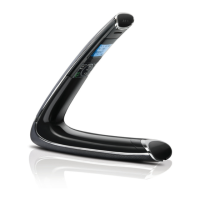
Do you have a question about the AEG Boomerang 15 and is the answer not in the manual?
Establishing a radio link between handset and base unit, including range and interference factors.
Instructions for connecting the base station to power and the telephone line.
Guidance on inserting and charging the handset batteries for initial use.
Instructions on how to make calls using pre-dialling, direct dialling, redial list, call log, and phonebook.
Steps for answering incoming calls and ending conversations on the handset.
Guide to adding new contacts with names and numbers to the phonebook.
Instructions for registering additional or replacement handsets to the base unit.
Detailed procedure for adding new handsets to the base station.
Steps to remove a registered handset from the base unit.
How to change the Master PIN for security and access to features like registration.
Procedure to reset the phone to its default factory settings.
Enabling or disabling remote access to check answering machine messages.
Overview of remote access functionality for managing the answering machine remotely.
Detailed guide on how to access and control the answering machine from another phone.
Essential checks to perform before troubleshooting specific issues with the phone.
Solutions for common problems encountered during daily use of the phone.
Solutions for battery-related problems, including charging and replacement.
Solutions for problems with the answering machine not recording or remote access.
Further troubleshooting steps if initial checks do not resolve the problem.

 To Next Page
 General