Need help?
Do you have a question about the AEG BPE555360M and is the answer not in the manual?
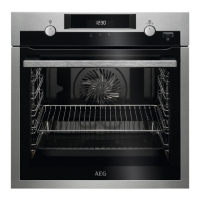
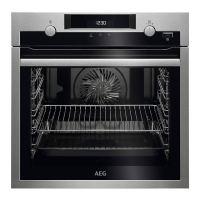
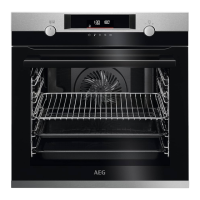
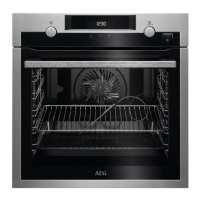
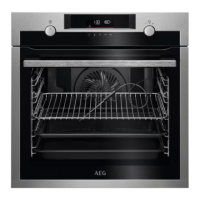
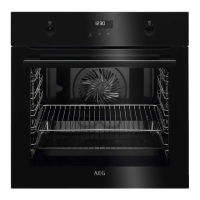
This document is a user manual for an AEG oven, specifically models BPE555360M and BPS35516XM. It provides comprehensive instructions on installation, safety, daily use, clock functions, accessory usage, additional functions, cooking hints and tips, care and cleaning, troubleshooting, energy efficiency, and environmental concerns.
The AEG oven is designed for cooking purposes in a single household domestic indoor environment. It offers various heating functions, including True Fan Cooking, Conventional Cooking, SteamBake, Pizza Function, Bottom Heat, Frozen Foods, Moist Fan Baking, Grill, and Turbo Grilling. These functions allow for a wide range of cooking methods, from baking and roasting to grilling and steam-assisted cooking. The oven also includes a pyrolytic cleaning function for self-cleaning at high temperatures.
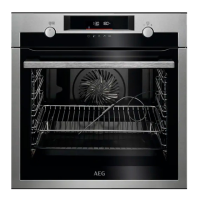
The oven features a control panel with retractable knobs for selecting heating functions and setting temperatures. A display provides visual feedback on key functions, including a timer, fast heat-up indicator, light, lock status, and confirmation settings. Basic indicators on the display show the status of assisted cooking, cleaning, and settings, while timer indicators show minute minder, end time, time delay, and uptimer.
General Operation: To operate the oven, users select a heating function by turning the knob and then set the desired temperature using the control knob. The oven can be turned off by returning the heating function knob to the off position.
Steam Cooking: For steam cooking, the cavity embossment needs to be filled with tap water (maximum 250 ml). After selecting the steam heating function and setting the temperature, the oven preheats for 10 minutes to create humidity before food is placed inside. After steam cooking, the oven should be allowed to cool, and any remaining water in the cavity embossment should be removed.
Assisted Cooking: The oven offers an "Assisted Cooking" menu with pre-programmed dishes, each having recommended heating functions and temperatures. Users can select a dish, and the oven will suggest default settings, which can be adjusted during cooking. Some dishes also support "Weight Automatic" for automatic adjustments based on food weight.
Clock Functions: The oven includes several clock functions:
Accessories: The oven comes with a wire shelf for cookware, cake tins, and roasts, a baking tray for cakes and biscuits, a grill/roasting pan for baking, roasting, or collecting fat, and telescopic runners for easier insertion and removal of trays and wire shelves. The wire shelf has indentations and a high rim for increased safety and to prevent cookware from slipping.
Additional Functions:
Energy Saving Tips: The manual provides tips for energy efficiency, such as keeping the oven door closed during operation, not opening it too often, maintaining a clean door gasket, using metal cookware, avoiding preheating when possible, and cooking multiple dishes consecutively. For longer cooking durations, reducing the temperature 3-10 minutes before the end of cooking utilizes residual heat. The "Moist Fan Baking" function is specifically designed for energy saving, and its lamp automatically turns off after 30 seconds.
Care and Cleaning: Regular cleaning is crucial to prevent deterioration of the surface material. The oven should be cleaned with a moist soft cloth and neutral detergents. Abrasive products, cleaning pads, solvents, or metal objects should be avoided. If using oven spray, follow its safety instructions.
Cavity Embossment Cleaning: To remove limestone residue after steam cooking, 250 ml of white vinegar (maximum 6% without additives) should be poured into the cavity embossment and left for 30 minutes at ambient temperature. Afterward, the cavity should be cleaned with warm water and a soft cloth. This cleaning is recommended every 5-10 steam cooking cycles.
Shelf Support Removal: For thorough cleaning, the shelf supports can be removed. This involves pulling the front and then the rear end of the shelf support away from the side walls. Reinstallation is done in the opposite sequence, ensuring the retaining pins on the telescopic runners point to the front.
Pyrolytic Cleaning: The oven features a pyrolytic self-cleaning function. Before starting, all accessories and excessive food residues/spills must be removed from the oven cavity. The manual advises good ventilation during and after cleaning, keeping children and pets away, and avoiding spilling water on the oven door. Non-stick surfaces can be damaged by high temperatures during pyrolysis. There are three cleaning programs: Light (1 hour), Normal (1 hour 30 minutes), and Thorough (3 hours). The oven door locks during cleaning and the lamp turns off.
Cleaning Reminder: The oven has a cleaning reminder that flashes in the display for 5 seconds after each cooking session. This reminder can be turned off in the settings menu.
Door Removal and Glass Panel Cleaning: The oven door and internal glass panels can be removed for cleaning. Users are instructed to fully open the door, lift and press clamping levers on the hinges, and then pull the door away. The door trim can then be removed to access the glass panels. The glass panels should be cleaned with water and soap and dried carefully; they should not be cleaned in a dishwasher. Reassembly follows the reverse steps, ensuring correct glass panel insertion to prevent overheating.
Lamp Replacement: To replace the oven lamp, the glass cover needs to be turned to remove it. The old lamp is replaced with a suitable 300 °C heat-resistant lamp, and the glass cover is reinstalled. Before replacement, the oven must be turned off, disconnected from the mains, and allowed to cool.
Troubleshooting: The manual includes a troubleshooting section for common issues like the appliance not turning on or heating up, or lamp malfunctions. It advises checking electrical connections, automatic switch-off status, door closure, fuses, and lock status. For error codes not listed, users are instructed to restart the appliance by turning off and on the house fuse, and if the error persists, to contact an Authorised Service Centre.
 General
| Oven capacity | 71 L |
|---|---|
| Number of ovens | 1 |
| Oven position | Built-in |
| Energy efficiency class | A+ |
| Maximum temperature | 300 °C |
| Control type | Electronic |
| Display type | LCD |
| Built-in display | Yes |
| Timer | Yes |
| Timer type | Digital |
| Width | 595 mm |
| Depth | 567 mm |
| Height | 595 mm |
| Installation compartment width | 560 mm |
| Installation compartment depth | 550 mm |
| Weight | 34.5 kg |
| Colour | Stainless steel |
| Power Consumption | 3.5 kW |
| Voltage | 220 - 240 V |
| Frequency | 50/60 Hz |
| Installation Type | Built-in |
| Oven power | 3500 W |
| Type | Built-in |
| Dimensions (H x W x D) | 595 x 594 x 567 mm |


 To Next Page