EasyManua.ls Logo

AEG BRILLIANT 98519/00 - User Manual

AEG BRILLIANT 98519/00
9 pages
Go to English
Print Icon
To Next Page IconTo Next Page
Loading...
Koppeln der Leuchte
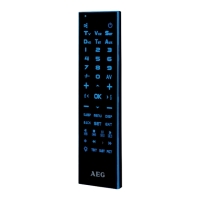
Koppeln von Fernbedienung und Leuchte:
1. Schalten Sie die Leuchte über den Wandschalter ein.
2. Innerhalb von 2 Sekunden die „Ein“-Taste („I“) der gewünsch-
ten Verbindungstaste drücken, bis die Leuchte aufblinkt. Das
Blinken signalisiert die erfolgreiche Zuweisung der Leuchte.
Um mehrere Leuchten einer Gruppe zuzuweisen, wiederholen
Sie die zuvor genannten Schritte für jede Leuchte bzw. Leuch-
tengruppe, bis Sie alle Leuchten zugewiesen haben.
Wenn Sie mehrere Leuchten einer Gruppe zugewiesen haben,
werden diese immer synchron geschaltet. Die Leuchten können
dann nicht mehr einzelnd gesteuert werden (z.B. Dimmen, Licht-
farbe ändern, Ein/Aus).
Tipp: „Ein“-Taste „I“ gedrückt halten und dann den Wandschalter
einschalten! Die „Ein“-Taste los lassen wenn die Leuchte aulinkt.
Assigning the remote control and light:
Pairing
1.Use wall switch, to turn on the light.
2. After turn on the wall switch, press within 2 seconds the „ON“
Button (“I”) on your preferred group-key. Press this button until
the light ashes. Flashing indicates pairing was successful.
To assign several lights to one group, repeat the previous steps
until you have assigned all of the lights.Once you have
assigned several lights to one group, these lights will always
operate synchronously. The lights can no longer be controlled
individually (e.g. for dimming, changing colour, on/o󰀨).
Hint: Press and hold the „On“-Button „I“, then turn on the wall switch!
Release the „On“-Button aer light ashes.
Question and Answer IconNeed help?

Do you have a question about the AEG BRILLIANT 98519/00 and is the answer not in the manual?

Summary

Remote Control and Light Pairing

Pairing Procedure

Step-by-step guide to link a light to the remote control, involving wall switch and remote buttons until the light flashes.

Grouping Multiple Lights

Instructions for assigning several lights to one group for synchronized operation and understanding its control limitations.

Remote Control Overview

Button and Function Identification

Detailed diagram identifying buttons and their corresponding functions on the remote control, including color and dimming controls.

Advanced Remote Control Operations

Undo Assignment and Reset Light

Procedure to disconnect a light from the remote control and reset it, allowing for reassignment to a new group or remote.

Master ON;OFF Control

Explanation of how the Master ON/OFF button controls all lights allocated to a specific remote control simultaneously.

Simultaneous Light Configuration

Method for controlling multiple paired lights together for synchronized settings like color or brightness.

AEG BRILLIANT 98519/00 Specifications

General IconGeneral
BrandAEG
ModelBRILLIANT 98519/00
CategoryRemote Control
LanguageEnglish

Related product manuals