EasyManua.ls Logo

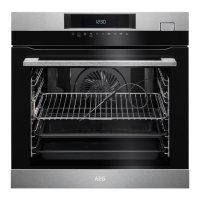
AEG BSK774121M - User Manual

AEG BSK774121M
52 pages
Print Icon
To Next Page IconTo Next Page
Loading...
USER
MANUAL
EN User Manual
Steam oven
BSK774121M

Questions and Answers

  • V
    vanessa10Aug 13, 2025
    Why is my AEG oven not heating up?
    • S
      Stacy VelazquezAug 13, 2025
      There are several reasons why your AEG oven might not be heating: * The oven may be turned off, so ensure it is switched on. * The clock may not be set, so set the clock. * The settings may be incorrect, so verify the settings. * The automatic switch-off may be activated. * The Child Lock may be enabled. * The door may not be fully closed, so ensure it is properly closed. * The fuse may be blown, so check the fuse; if it continues to blow, contact a qualified electrician.
  • J
    James NelsonAug 16, 2025
    How to fix an AEG BSK774121M that won't turn on?
    • C
      Chris TaylorAug 17, 2025
      If you cannot activate or operate your AEG oven, the issue might be that it is not correctly connected to the electrical supply. Check the connection to ensure it is properly connected, referring to the connection diagram if available.
  • E
    Elizabeth SmithAug 21, 2025
    How to remove lime deposits from my AEG oven?
    • D
      David BeckerAug 21, 2025
      To remove lime deposits from your AEG oven, clean the water tank. Refer to "Cleaning the water tank".
  • M
    Mark AriasAug 25, 2025
    What to do if my AEG BSK774121M Oven shows an error code not in the manual?
    • J
      Jessica SawyerAug 25, 2025
      If your AEG oven displays an error code not listed in the manual, there may be an electrical fault. Try turning off the oven using the house fuse or the safety switch in the fuse box, and then turn it back on. If the error code reappears, no answer.
  • A
    Amy WhiteAug 28, 2025
    Why is the steam cooking function not working on my AEG BSK774121M Oven?
    • M
      Michael RiosAug 28, 2025
      If the steam cooking function isn't working on your AEG oven, consider these possible causes: * The core temperature sensor plug may not be fully inserted into the socket. Ensure it is pushed in as far as it can go. * There may be too much water in the tank. Turn off the oven and wipe away the excess water with a cloth or sponge. * The water tank may be empty. Fill the water tank. * The steam inlet opening may be obstructed by lime. Check the opening and remove any lime buildup.
  • T
    Tina EvansAug 31, 2025
    What to do if the core temperature sensor is not working in my AEG oven?
    • S
      Susan BrownSep 1, 2025
      If the core temperature sensor in your AEG oven is not working, it could be due to water inside the oven. Turn off the oven and wipe away the water with a cloth or sponge.
  • D
    Douglas RyanSep 4, 2025
    What does F111 mean on my AEG BSK774121M Oven display?
    • M
      Michael WilliamsSep 4, 2025
      If your AEG oven display shows 'F111', the plug of the core temperature sensor is not correctly installed into the socket. Put the plug of the core temperature sensor as far as possible into the socket.
  • K
    Krystal JacksonSep 8, 2025
    Why does steam and condensation settle in my AEG oven?
    • T
      Thomas Mayer MDSep 8, 2025
      Steam and condensation may settle on the food and in the cavity of your AEG oven if the appliance is activated but does not heat up.

AEG BSK774121M Specifications

General IconGeneral
TypeBuilt-in
Oven TypeMultifunction
Energy Efficiency ClassA+
Total Oven(s) Interior Capacity71 L
Number of Ovens1
Temperature Range30 - 300 °C
Control TypeElectronic
Cleaning SystemPyrolytic
Dimensions (HxWxD)594 x 595 x 567 mm
Voltage220 - 240 V
Frequency50/60 Hz
Installation TypeBuilt-in
ColorStainless Steel
Weight36 kg

Related product manuals