English
36
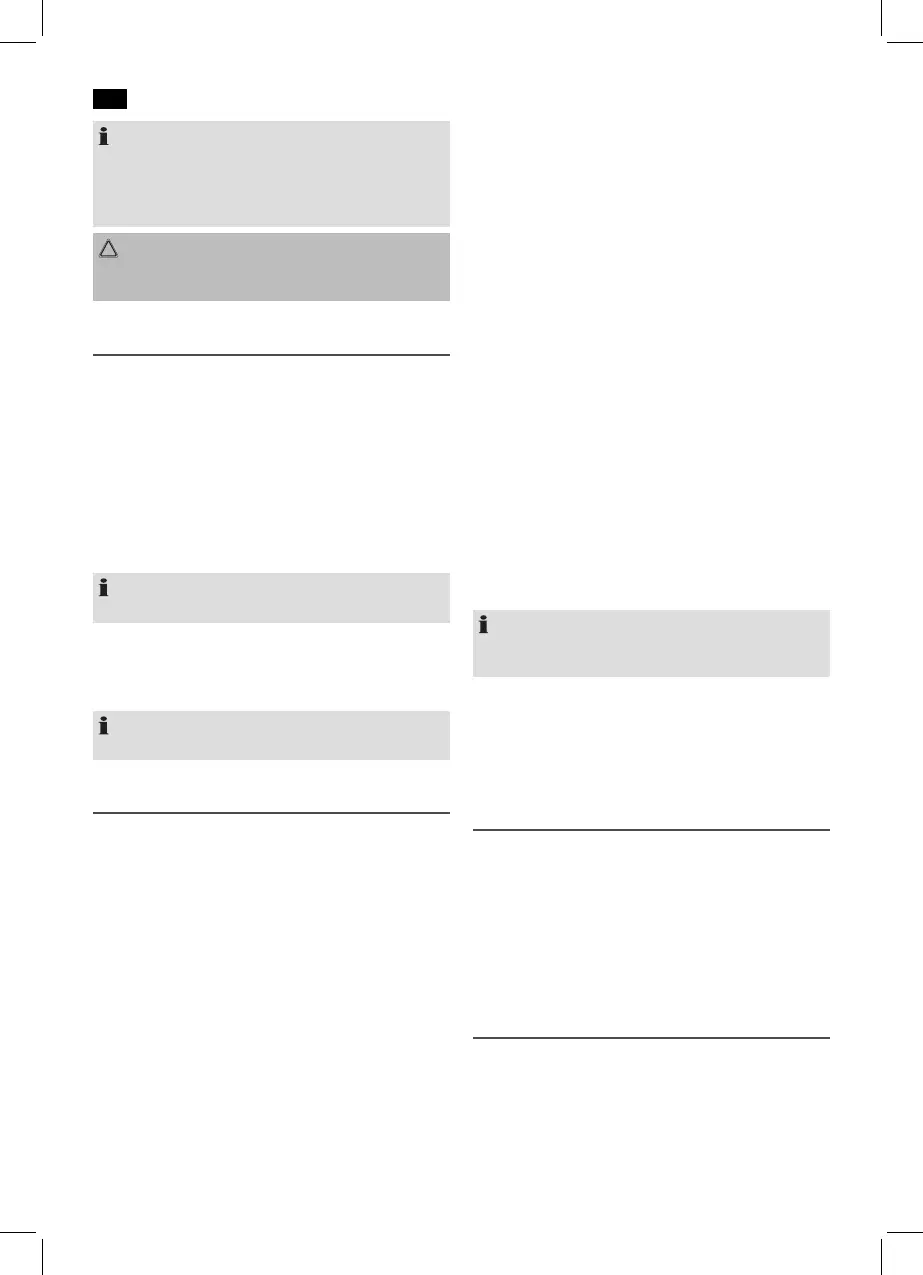
NOTE:
• Alwaysdirectly connect a USB storage medium to the
USB port to prevent any malfunctions.
• TheUSBportisnotdesignedforchargingexternal
devices.
CAUTION:
Before removing the USB storage device, switch the device
to another mode using the FUNCTION button (8).
Description of the controls
PLAY (13)
You can pause and continue music playback. Press again to
continue playback.
DN (14)
Press1x= Restartofthesongfromthebeginning.(Only
in BT mode)
Press2x= Skiptotheprevioussong.
Press3x= Skiptothesongbeforetheprevioussong.
Keeping the button pressed initiates a track search.
NOTE: Only in USB mode
The number of the current title is displayed briefly.
UP (14)
Presstoskiptothenextsongandthefollowingsongs.
Keeping the button pressed initiates a track search.
NOTE: Only in USB mode
The number of the current title is displayed briefly.
Alarm function (in standby mode)
Setting of the Alarm
You can set two alarm times. Proceed as follows:
1. Press the ALARM/M+ button (7). The hours of the cur-
rently set alarm time start to flash.
2. Use the buttons UP and DN (14) for setting.
3. Press the ALARM/M+ button for confirmation. The min-
utes start to flash.
4. Use the buttons UP and DN for setting.
5. Press the ALARM/M+ button to confirm. Then select how
you want to be awakened. Select from:
• bu2 (Buzzer):
A buzzer sounds when the alarm time is reached. The
volume increases slowly to the set volume. The alarm
time indicator light flashes.
• rAd (Radio):
As soon as your set alarm time is shown, the radio
switches on. The last set station is played. The volume
increases slowly to the set volume. The volume cannot
be adjusted. The alarm time indicator light
flashes.
• USB:
When the alarm time is reached, the device switches
on in USB mode. The volume will slowly increase to
the adjusted volume. The alarm time indicator light
flashes.
6. NowselectthemaximumalarmvolumewiththeVOL+
and VOL- buttons.
7. If you press the ALARM/M+ button once again, you will
reach the point where the second alarm time is reached.
Repeat steps 2-6 in order to set the second alarm time.
8. Activating the alarm time: Keep the ALARM/M+ button
pressed in standby mode. The first alarm time is activated
and the indicator light (17) lights up. Keep the ALARM/
M+ button pressed once more in order to activate the
second alarm time. The indicator light (18) lights. In order
to activate both alarm times, keep the ALARM/M+ but-
ton pressed once more. The indicator lights (17/18) light.
Turning off the Alarm
Inordertosuppressthealarmfunctionuntilthenextday,
press the STANDBY button (9).
Automatic Alarm Interval
The automatically set alarm function can be shut off for ap-
proximately9minuteswiththeSNOOZEbutton(12).
NOTE:
When the function is activated, the time display will appear
and the alarm time indicator light will flash.
Deactivate the Alarm Function
In order to deactivate the alarm function, keep the ALARM/
M+ button (7) pressed once more until none of the indicator
lights (17/18) remains lit.
Delayed switch-off (SLEEP)
When the selected time is reached, the device switches off
automatically.
Press the SLEEP button (11) again in order to select the time
after which the device should switch off. The following values
are available for selection: 120, 90, 60, 45, 30, 15, 00. The “00”
setting deactivates the function.
When a function is activated, the indicator light lights (19).
Cleaning
• Beforecleaningdisconnectfrommainspowersupply.
• Cleanthedevicewithasoftdampclothwithoutdeter-
gents.
• Donotsubmergethedeviceinwater.


 To Next Page
 Loading...