English
31
Remote Control
1 SOURCE button (select source)
2
(mute) button
3
(play/pause) button
4 STOP button
5 EQ button (Equalizer setting)
6 Number buttons
7 FM SCAN button (Station scan)
8 VOL+/VOL- buttons (volume)
9 PREV / NEXTbuttons(Previous/Next)
10 button (On/Off)
Special Safety Precautions for this device
WARNING:
Avoidhearinglossduetoextremevolume.
CAUTION:
• Donotsubjectthespeakerstoextremeheat,coldor
humidity.
• Donotoperatethedeviceonmaximumvolume.This
can cause damage.
• Donottouchthespeakermembraneswithngersor
objects. This will cause damage to the membranes.
First Use of the Device/Introduction
NOTE:
Some buttons can be found both on the device and on the
remote control. Identical buttons perform the same func-
tion.
• Selectaproperplaceforthedevice.Adry,levelandslip
proof surface is suitable.
• Makesurethedeviceisventedsufciently!
• Removetheprotectivelmfromthedevice,ifpresent.
Mounting
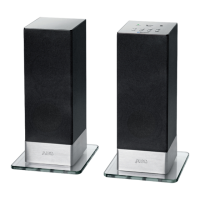
The glass base plates must be fastened to the speaker base
with screws.
Power supply
• Makesurethegridvoltagecorrespondstothegureson
the rating plate.
• Connectthepowersupplycabletotheinput(13).
• Plugthemainsadapterintoatestedplugsocket.The
indicator lamp lights up red.
NOTE:
Disconnect from mains power supply during longer periods
of non-use.
Insert/Replace Battery in Remote Control
NOTE:
The lithium cell in the battery compartment of the remote
control may have been safeguarded for transport with a
pieceoffoil.Thisextendsthelifeofthebattery.Please
remove this foil before the first use to make the remote
control ready for operation.
1. Open the battery compartment on the underside of the
remote.
2. Replace the cell by a battery of the same type (CR 2025).
Check that the polarity is correct (see battery compart-
ment).
3. Close the battery compartment.
If the remote is not in use for a lengthy period of time, please
remove the battery to prevent the battery acid from “leaking”.
WARNING:
• Donotexposethebatteriestointenseheat,suchas
sunlight, fire or similar. Danger of explosion!
• Keepbatteriesoutofthereachofchildren.Theyare
not toys.
• Donotforcebatteriesopen.
• Avoidcontactwithmetallicobjects.(Rings,nails,screws
etc.) Danger of short circuits!
• Shortcircuitsmayoverheatorevenignitebatteries.
This may lead to combustion.
• Whentransportingthebatteries,covertheterminalsfor
your safety with an adhesive strip.
• Ifabatteryleaks,donotrubtheuidintotheeyesor
the skin. If acid comes into contact with the eyes, rinse
with purified water and seek medical advice if symp-
toms persist.
CAUTION:
Batteries must not be disposed of in the garbage. Please
bring used batteries to competent collection centers or
back to the dealer.
General Operation
Switch device on/off
• Withthe
button, you can switch the unit between
standby and operating mode.
• Todisconnecttheunitcompletelyfromthemains,pull
the mains plug from the socket.
NOTE:
The system switches automatically to standby if no sound is
played within 5 minutes.
Volume
By pressing the VOL+/VOL- buttons you can adjust the
desired volume.


 To Next Page
 Loading...