19" TFT LCD TV CTV 4859 LCD/DVB-T
DVB-T OPERATIONS
52
For models with DVB-T function only
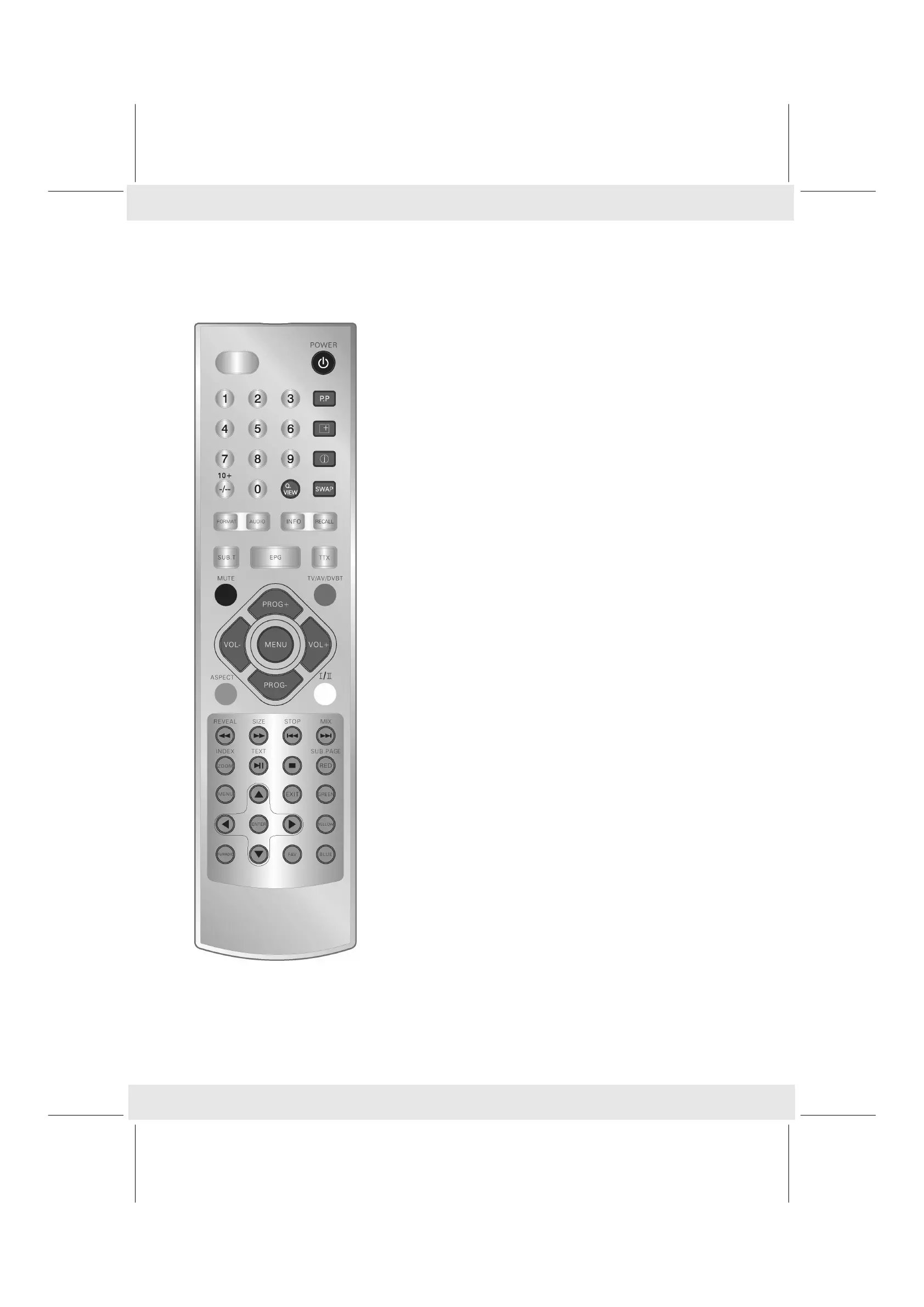
-Button
For selecting the previous file in USB/memory card mode.
-Button
For selecting the nect file in USB/memory card mode.
►II-Button
– „Freeze“ the current DVB-T picture. „II“ is displayed on the
screen. Press this button again to deactivate the function.
– Start playing music/videos via USB/smart card
g-Button
Stop plaing music/videos via USB/smart card.
MENU-Button (at the lower area)
Calling up the DVB-T menu.
EXIT-Button
DVB-T Teletext, Menü oder Menüpunkt verlassen.
ENTER-Button
– Confirming the menu or a menu option.
– Displaying the list of stations.
TV/RADIO-Button
Switching between TV and radio, if radio is available.
FAV-Button
Calling up the list of favourites.
RED-Button
– In EPG mode for switching to the dailiy mode.
– Adds channels to favourites in the „channel organizer“ menu.
GREEN-Button
– In EPG mode for switching to the weekly mode.
– Deletes channels in the „channel organizer“ menu.
YELLOW-Button
– In EPG mode for selecting the advanced info mode.
– Moves stations in the „channel organizer“ menu.
BLUE-Button
– In EPG mode for selecting the timer.
– Blocks channels in the „channel organizer“ menu.


 To Next Page