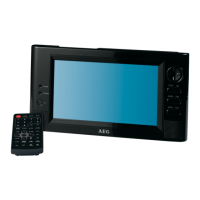
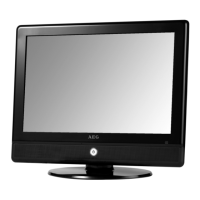
19" TFT LCD TV CTV 4859 LCD/DVB-T
CHANGE DVB-T SYSTEM SETTINGS
56
11 Change DVB-T system settings
Attention: Select only the option „on“ with „active
antenna“, if you connect an active DVB-T
antenna. Otherwise, the DVB-T receiver or
antenna my be damaged.
Press the MENU button, at the lower part of the
RC and call up the Digital TV/Configuration”
menu. You can carry out the following settings in
the submenus.
Setting Options Explanation
OSD Theme 1-5 You can select the OSD menu backround color.
Time on OSD OFF/ON You can select wheter time is to be permanently displayed.
OSD Timeout 1-6 Select the time after which the OSD is to fade out.
OSD Trans 0%-60% Select the transparency of the OSD menu.
OSD Language You can select the required language for the screen menu.
MP4 subtitles
Language
Here you can select the preferred subtile language for
MPEG4 files.
1st Audio language
2nd Audio language
You can select the first and second audio language.
Display Mode Auto/PAL/NTSC If you are not sure which TV standard is suitable, select
„Auto“.
Aspect Ratio 4:3LB/4:3PS/16:9 Select between 4:3 format or 16:9 format (wide screen)
according to your screen.
Video Output S-VIDEO In this menu no changes can be made.
Bightness, contrast,
hue, saturation
Adjust brightness, contrast, hue (NTSC only) and
saturation.
EQ Setup Standard/Classic/
Rock/Jazz/POP
You can select the required sound option.
Surround OFF/Concert/Church/
Passive/Live
This function creates different acoustics for a specific
surrounding, e.g. at a concert or in a church.
Active Antenna OFF/ON When „OFF“, no voltage is connected to the antenna
output – suitable for connection to the roof antenna and the
passive DVB-T antenna. When “ON” an active DVB-T
antenna without its own power supply can be connected.
JPEG effect OFF/ON You can select whether in the photo mode each picture is
faded in with each picture change.
LCN OFF/ON If supported by TV channels, with the LCN function
switched on, your regional channels are saved sorted,
independent from their frequency. If the LCN function is
activated the programme slot numbers are also moved.
Area Select your country


 To Next Page