7
© 2012 OJ Electronics A/S - ® OJ ist eine eingetragene Marke der OJ Electronics A/S
Operation
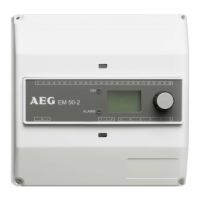
EM 50-2 is equipped with an easily operated encoder button (turn
and press) and a display which describes the current situation. The
display is backlit and is illuminated by pressing the encoder button
(OK). The illumination is automatically switched o after 30 seconds.
Press the encoder button and the main menu will be shown on the
display.
Turn the button to scroll through the options. Not all the options are
shown on the display at once, but they can be accessed by turning
the encoder button.
Press OK to select a highlighted option.
ZONE 1 OFF
ZONE 2 OFF
SENSOR 1 ##.#°C
SENSOR 2 ##.#°C
MOIST 1 NO
MOIST 2 NO
OUT. TEMP ##.#°C
ALARM NO
SHOW INFO
SETUP
RESTART
EXIT
Main menu
Display texts
ZONE 1 OFF
Heating zone 1 active (ON) or inactive (OFF)
ZONE 2 OFF
Heating zone 2 active (ON) or inactive (OFF)
SENSOR 1 ##.#°C
Sensor 1 (heated sensor) core temperature.
Applies only when GROUND SENSOR sensor is
connected. NOTE: Not ambient temperature!
SENSOR 2 ##.#°C
Sensor 2 (heated sensor) core temperature.
Applies only when GROUND SENSOR sensor is
connected. NOTE: Not ambient temperature!
MOIST 1 NO
Sensor 1 moisture status. YES / NO / Blank.
Blank will be shown if temperature is above Set
Temp or the system is in Afterrun mode.
MOIST 2 NO
Sensor 2 moisture status. YES / NO / Blank.
Blank will be shown if temperature is above Set
Temp or the system is in Afterrun mode.
OUT TEMP ##.#°C
Ambient outdoor temperature. Applies only
when ETF sensor is connected.
ALARM NO
Fault message, fault type will be displayed. Red
LED on front of unit will flash.
SHOW INFO
Application info
APP: E. 1-ZONE
Application type: electric heating
SW VERSION 1.10
Software version
SENSOR 1 GRND
Sensor type, sensor 1
SENSOR 2 OFF
Sensor type, sensor 2
SENSOR ATF OFF
ATF 5 sensor connected
EXIT
Return to main menu
Settings
Please note that incorrect sensor setup may lead to poor or lacking
ice and snow melting.
Press OK and a submenu will be shown on the display.
Select the parameter to be set and press OK.
SETUP
FORCE HEAT OFF
Manual start of forced heat. Press OK and select
ON to start Forced heat.
EM 50-2 controller will heat in the pre-pro-
grammed afterrun time, see AFTERRUN 1and 2.
SELECT SCALE C
Whether temperature is to be displayed in Cel-
sius (C) or Fahrenheit (F) can be selected here.
Select the required scale and press OK. Press
OK to return to the SETUP menu.
SET TEMP 1 3.0C
Set temperature for Zone 1: The temperature
at which the ice and snow melting system will
become active can be set here. The temperature
setting can be adjusted from +50 / -20°C
(122 / -4°F). Set the required temperature and
press OK.
SET TEMP 2 3.0C
Set temperature for Zone 2: The temperature
at which the ice and snow melting system will
become active can be set here. The temperature
setting can be adjusted from +50 / -20°C
(122 / -4°F). Set the required temperature and
press OK.
OFF TEMP 1 OFF
he lowest operating temperature for Zone 1 can
be set here. Below this tempera ture, the system
will enter standby mode. The adjustment range
goes down to -20°C/OFF (-3.9°F/OFF). OFF = no
limit. To change the minimum cut-o tempera-
ture, press OK, turn the encoder button to the
desired value and confirm with OK.
OFF TEMP 2 OFF
The lowest operating temperature for Zone 2 can
be set here. The adjustment range goes down
to -20°C/OFF (-3.9°F/OFF). OFF = no limit. To
change the minimum cut-o temperature, press
OK, turn the encoder button to the desired value
and confirm with OK.
AFTERRUN 1 2:00
Afterrun time Zone 1 : An afterheat duration of
between 0 and 18 hours can be set here. The
system will continue to provide heat for the
specified time after the moisture/temperature
signal has been eliminated by a heating cycle.
Use the encoder button to set the required after-
run time and press OK.
AFTERRUN 2 2:00
Afterrun time Zone 2 : An afterheat duration of
between 0 and 18 hours can be set here. Use
the encoder button to set the required afterrun
time and press OK.
OFFSET T1 0.0C
Zone 1 temperature can be calibrated here. With
EF 50-25 H sensor, the temperature shown on
the EM 50-2 display is always the core tempera-
ture of the sensor. For calibration, please see
page 13.
EM 50-2 English


 To Next Page
 Loading...