Need help?
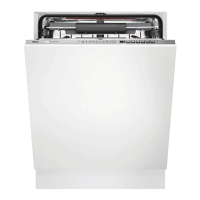
Do you have a question about the AEG FSE63657P and is the answer not in the manual?
Safety guidelines for children and vulnerable individuals using the appliance.
General safety precautions and intended use of the appliance.
Instructions and warnings related to the installation of the appliance.
Guidelines for the safe electrical connection of the appliance.
Procedures and precautions for connecting the appliance to the water supply.
Guidelines for safe and proper operation of the dishwasher.
Information regarding the internal lighting and its replacement.
Guidance on contacting authorised service for repairs and spare parts.
Safety instructions for disposing of the appliance responsibly.
Description of the Beam-on-Floor indicator light.
Detailed explanation of the information shown on the appliance's display.
Explanation of the ECOMETER's function for energy and water consumption.
Explanation of various indicator lights on the control panel.
How to select wash cycles based on duration using the MY TIME bar.
Explanation of additional options like ExtraSilent, ExtraPower, and GlassCare.
Description of the AUTO Sense program that adjusts wash cycles automatically.
Detailed table comparing programmes, load types, soil degrees, phases, and extras.
Steps to enter and navigate the appliance's setting mode.
Information on water hardness and how to adjust the water softener.
How to adjust the rinse aid dispenser and indicator.
How to activate or deactivate the end-of-programme acoustic signal.
Explanation of the AirDry function for improved drying.
How to activate or deactivate button click sounds.
How to enable automatic selection of the most recently used programme.
Instructions for filling the salt container and its importance.
Instructions for refilling the rinse aid dispenser.
Guidance on selecting and using the correct detergent for the dishwasher.
Step-by-step instructions for choosing and starting programmes via the MY TIME bar.
Instructions on how to activate additional programme options.
Steps to initiate the AUTO Sense wash programme.
Instructions for setting a delayed start for programmes.
How to cancel a programme with a set delay start.
Steps to stop and cancel a programme that is currently running.
Information on the consequences of opening the door during operation.
Explanation of the automatic power-off feature for energy saving.
How the appliance indicates the end of a programme.
General tips for efficient use, saving water/energy, and protecting the environment.
Detailed guidance on using salt, rinse aid, and detergent correctly.
Steps to transition from multi-tablets to separate detergent, salt, and rinse aid.
Checklist of essential checks before running any wash programme.
Guidelines for correctly loading dishes into the baskets for optimal results.
Advice on safely unloading clean dishes from the baskets.
How to use the Machine Care programme for interior cleaning.
How to clean the interior of the appliance, including rubber gaskets.
How to check and remove foreign objects from filters and the sump.
Instructions for cleaning the exterior surfaces of the appliance.
Step-by-step guide on how to clean the appliance's filter system.
How to remove, clean, and reinstall the lower spray arm.
How to remove, clean, and reinstall the upper spray arm.
How to remove, clean, and reinstall the ceiling spray arm.
How to find and check the appliance's product number code (PNC).
Solutions for common issues related to poor washing or drying performance.
Information on accessing the EU EPREL database for product performance.
 General
| Current | 10 A |
|---|---|
| AC input voltage | 220-240 V |
| AC input frequency | 50-60 Hz |
| Energy efficiency scale | A to G |
| Water consumption per cycle | 10.5 L |
| Energy consumption per cycle | 0.835 kWh |
| Cycle time | 240 min |
| Noise level | 39 dB |
| Delay start (max) | 24 h |
| Inverter technology | Yes |
| Dishwashing programs | 60min 60°C, 90min 60°C, 160min 60°C, Auto 50-60°C, Eco 50°C, Quick |
| Number of place settings | 13 place settings |
| Number of washing programs | 7 |
| Door color | Not applicable |
| Cord length | 1.6 m |
| Display type | LCD |
| Product size | Full size (60 cm) |
| Inlet hose length | 1.8 m |
| Appliance placement | Fully built-in |
| Control panel color | Black |
| Package weight | 40100 g |
 Weight and Dimensions
| Depth | 550 mm |
|---|---|
| Width | 596 mm |
| Height | 818 mm |
| Weight | 38390 g |
| Installation compartment depth | 570 mm |
| Installation compartment width | 600 mm |
| Installation compartment height (max) | 900 mm |
| Installation compartment height (min) | 820 mm |

 To Next Page