83
1) Method of setting
Press the power button to switch the thermometer on.
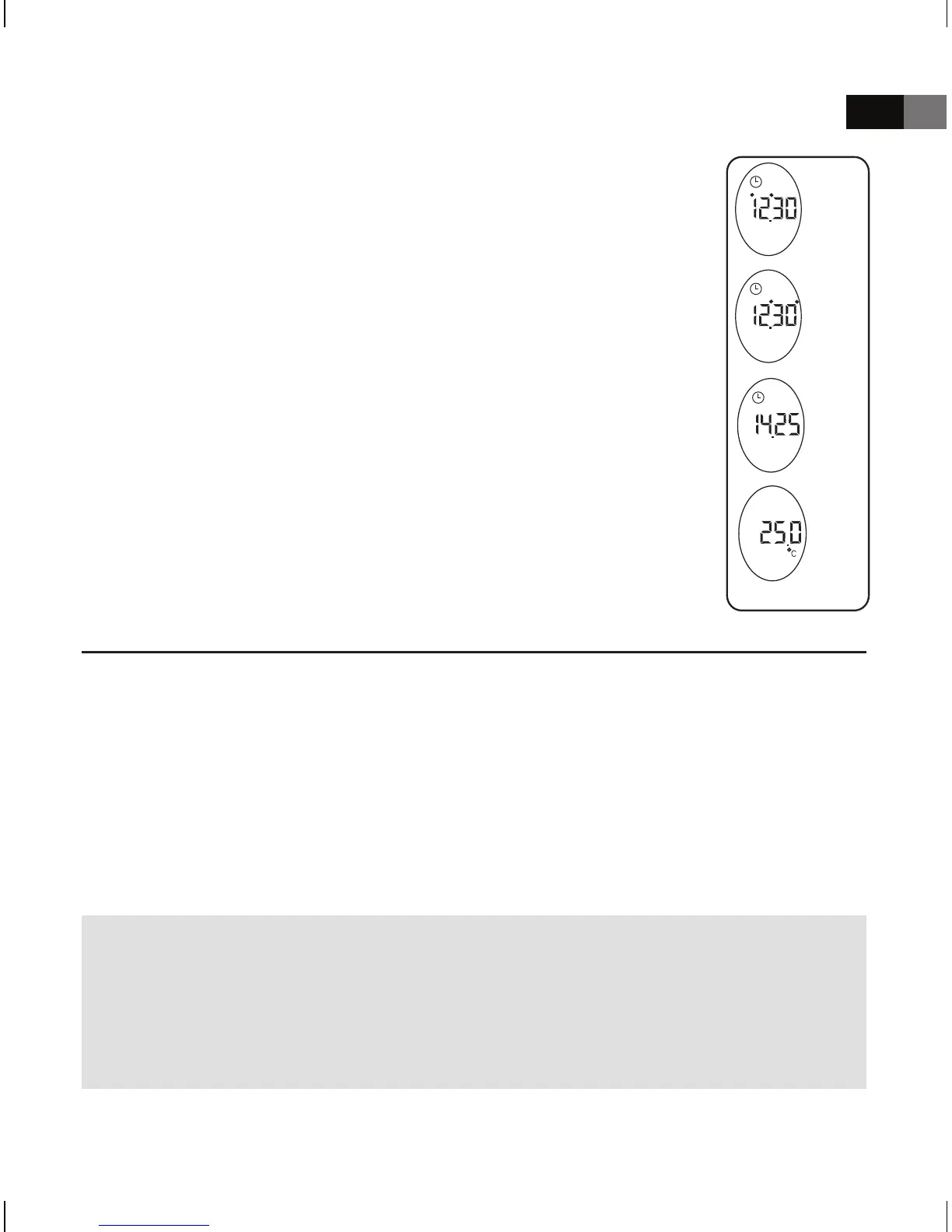
Open the battery cap on the back, press the time-
setting button to start hour (hour number ashes) and
minute (minute number ashes) setting, and press the
button of scan to adjust the numbers. Press the time
setbuttontoconrm(RefertothePicture6.1,6.2).
2) Mode of display
When time has been set, the thermometer will display
the time and environmental temperature in turns while
notusedtomeasurebodytemperature(Refertothe
Picture 6.3, 6.4).
Changing the Measurement Scale
The infrared thermometer can display temperature measurements in either
°C or °F.
The operation how to change the measurement scale between °C and °F
as: After all icons displaying and when the picture “--°C“ or “°F--“ display-
ing, please press the scan button, turn the °C or °F to °F or °C.
Wait for 3 seconds and the thermometer will automatically enter the
measurement mode.
Note:
Your thermometer provides both Fahrenheit and Celsius readings in
countries where the Fahrenheit units are adopted, otherwise it provides
only the Celsius unit. It isn‘t a bad one if your product can‘t change °C
to °F.
(Picture
6.1)
(Picture
6.2)
(Picture
6.3)
(Picture
6.4)



 To Next Page