5.3 The heat setting
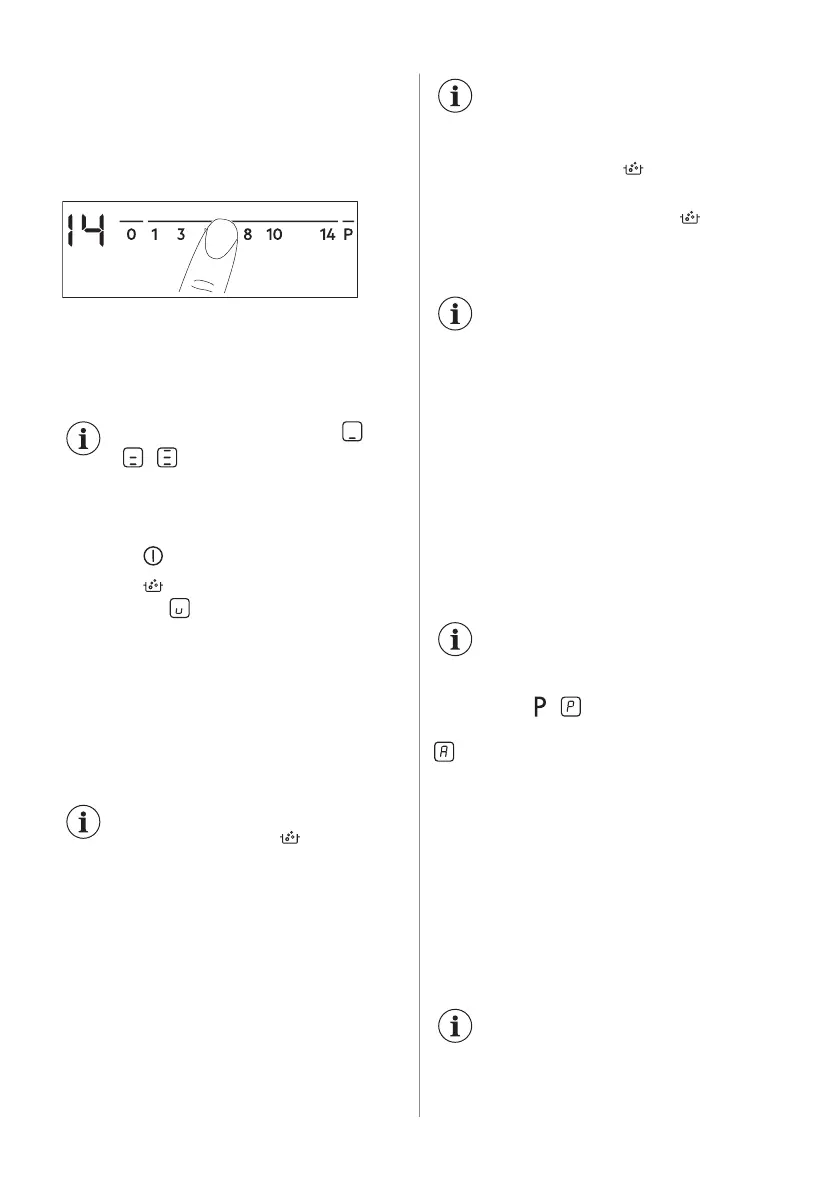
To set or change the heat setting:
Touch the control bar at the correct heat
setting or move your finger along the control
bar until you reach the correct heat setting.
5.4 SenseBoil®
The function automatically adjusts the
temperature of water so that it does not boil
over once it reaches the boiling point.
If there is any residual heat ( /
/ ) on the cooking zone
you want to use, an acoustic
signal is emitted and the function
does not start.
1. Touch to activate the hob.
2. Touch
to activate the function.
A blinking
appears for cooking zones
on which you can presently use the
function.
3. Touch the control bar of any available
cooking zone for which you want to start
the function (between the heat setting
1-14).
The function starts.
If you do not choose any cooking zone within
5 seconds the function does not activate.
Once the function starts the
indicators above the symbol
come on one after another until
the water reaches the boiling
point.
When the function detects the boiling point
the hob emits an acoustic signal and the heat
level automatically changes to 8.
If all cooking zones are already
in use or there is some residual
heat on all of them, the hob
emits a beep sound, the
indicators above blink and
the function does not start.
To deactivate the function touch (the
function deactivates and the heat setting
goes down to 0) or touch the control bar and
adjust the heat setting manually.
The Pause function and lifting of
the pot deactivate SenseBoil®.
5.5 Using the cooking zones
Place the cookware in the centre of the
selected zone. Induction cooking zones
adapt to the dimension of the bottom of the
cookware automatically.
5.6 Automatic Heat Up
Activate this function to get a desired heat
setting in a shorter time. When it is on, the
zone operates on the highest setting in the
beginning and then continues to cook at the
desired heating setting.
To activate the function the
cooking zone must be cold.
To activate the function for a cooking
zone: touch
( comes on). Immediately
touch a desired heat setting. After 3 seconds
comes on.
To deactivate the function: change the
heat setting.
5.7 PowerBoost
This function makes more power available to
the induction cooking zones. The function
can be activated for the induction cooking
zone only for a limited period of time. After
this time the induction cooking zone
automatically sets back to the highest heat
setting.
Refer to “Technical data”
chapter.
ENGLISH 11



 To Next Page