EasyManua.ls Logo

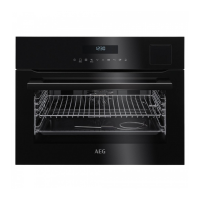
AEG KME761000B - User Manual

AEG KME761000B
44 pages
Print Icon
To Next Page IconTo Next Page
Loading...
USER
MANUAL
EN User Manual
Microwave combi-oven
KME761000B
KME761000M
KMK761000M
Question and Answer IconNeed help?

Do you have a question about the AEG KME761000B and is the answer not in the manual?

Summary

Safety Information

Children and Vulnerable People Safety

Safety guidelines for children and vulnerable individuals when using the appliance.

General Safety

General safety precautions for operating the appliance safely.

Safety Instructions

Installation

Instructions and warnings related to the proper installation of the appliance.

Electrical Connection

Guidelines and safety precautions for connecting the appliance to the electrical power supply.

Use

Important information and warnings for the correct and safe usage of the appliance.

Care and Cleaning

Procedures and warnings for cleaning and maintaining the appliance.

Internal Light

Information regarding the internal light, including replacement and safety.

Disposal

Instructions on how to safely dispose of the appliance.

Service

Guidance on contacting service centers and using spare parts.

Product Description

General Overview

An overview of the appliance's main components and features.

Accessories

Details about the included accessories and their uses.

Control Panel

Electronic Programmer

Explanation of the electronic programmer, sensor fields, and their functions.

Display

Description of the appliance's display symbols and indicators.

Before First Use

Initial Cleaning

Steps for cleaning the appliance before its first operation.

First Connection

Initial setup and configuration steps after connecting the appliance.

Daily Use

Navigating the Menus

How to navigate through the appliance's menu system.

The Menus in Overview

An overview of the available menus and their applications.

Heating Functions

Detailed explanation of various heating functions available on the appliance.

Specials

Description of special heating functions like Keep Warm, Plate Warming, Dough Proving.

Activating a Heating Function

Step-by-step guide on how to activate a heating function.

Heat-up Indicator

Explanation of the heat-up indicator on the display.

Fast Heat Up Indicator

Information about the fast heat-up function and its indicator.

Residual Heat

Explanation of the residual heat feature after cooking.

Microwave Mode

Microwave Recommendations

Important recommendations and cautions for using the microwave function.

Suitable Cookware and Materials

Guidelines on appropriate cookware and materials for microwave use.

Tips for the Microwave

Practical tips and advice for achieving optimal results with the microwave.

Microwave Functions

Description of different microwave functions like Microwave, Combi, and Quick Start.

Setting the Microwave Function

Step-by-step instructions for setting the microwave function.

Setting the Combi Function

How to set and use the Combi function combining heating and microwave.

Setting the Quick Start Function

Guide to using the Quick Start function for fast microwave activation.

Examples of Cooking Applications for Power Settings

Examples of cooking and defrosting applications based on power settings.

Clock Functions

Clock Functions Table

A table outlining clock functions like Minute Minder and their applications.

Setting the Clock Functions

Instructions for setting clock functions such as Duration and End Time.

Heat + Hold

Explanation of the Heat + Hold function to keep food warm.

Time Extension

Information on extending cooking time using the Time Extension function.

Automatic Programmes

Recipes Online

Information on finding recipes for automatic programmes online.

Assisted Cooking with Recipe Automatic

How to use automatic cooking programmes based on predefined recipes.

Assisted Cooking with Weight Automatic

Using automatic cooking programmes that calculate time based on food weight.

Using the Accessories

Inserting the Accessories

Instructions on how to correctly insert and use the appliance's accessories.

Additional Functions

Favourites

How to save and activate favourite cooking settings and programmes.

Using the Child Lock

Instructions on activating and deactivating the Child Lock feature.

Function Lock

How to use Function Lock to prevent accidental changes to settings.

Set + Go

Using the Set + Go function to schedule a cooking programme for later use.

Automatic Switch-off

Information on the automatic switch-off feature for safety.

Brightness of the Display

Adjusting the display brightness settings.

Cooling Fan

Information about the automatic cooling fan operation.

Hints and Tips

Advice for Special Heating Functions of the Oven

Advice for using specific heating functions like Keep Warm, Plate Warming, Dough Proving.

Baking

General advice and tips for successful baking results.

Tips on Baking

Troubleshooting tips for common baking issues and their remedies.

Baking on One Oven Level

Guidelines for baking various items on a single oven level.

Bakes and Gratins

Recipes and settings for bakes and gratins.

Multilevel Baking

Instructions for multilevel baking using the True Fan Cooking function.

Slow Cooking

How to use the Slow Cooking function for tender meat and fish.

Pizza Setting

Recommended settings for baking pizzas.

Roasting

Tips and guidelines for roasting food in the oven.

Roasting Tables

Tables providing cooking parameters for roasting various meats.

Grilling

Instructions and tips for using the grilling function.

Frozen Foods

Guidance on cooking frozen foods, including preparation and settings.

Defrost

Instructions and tips for defrosting various food items.

Preserving

Guidelines for using the preserving function for fruits and vegetables.

Drying

Instructions for using the drying function for fruits and herbs.

Bread Baking

Recommended settings for baking different types of bread.

Microwave Cooking

Tips and techniques for cooking food using the microwave function.

Tips for the Microwave

General tips and troubleshooting for microwave cooking and defrosting.

Cooking

General cooking guidelines and parameters.

Microwave Combi Function

Using the combined microwave and heating functions for faster cooking.

Information for Test Institutes

Specific test parameters for institutes according to IEC 60705.

Care and Cleaning

Notes on Cleaning

Important notes and recommendations for cleaning the oven and its parts.

Removing the Shelf Supports

Step-by-step guide on how to remove shelf supports for cleaning.

Replacing the Lamp

Instructions for safely replacing the oven lamp.

Troubleshooting

What to Do If...

Common problems and their solutions for troubleshooting the appliance.

Service Data

Information for service centers, including model and serial numbers.

Energy Efficiency

Energy Saving

Tips and features for saving energy during appliance operation.

Environmental Concerns

Summary

Safety Information

Children and Vulnerable People Safety

Safety guidelines for children and vulnerable individuals when using the appliance.

General Safety

General safety precautions for operating the appliance safely.

Safety Instructions

Installation

Instructions and warnings related to the proper installation of the appliance.

Electrical Connection

Guidelines and safety precautions for connecting the appliance to the electrical power supply.

Use

Important information and warnings for the correct and safe usage of the appliance.

Care and Cleaning

Procedures and warnings for cleaning and maintaining the appliance.

Internal Light

Information regarding the internal light, including replacement and safety.

Disposal

Instructions on how to safely dispose of the appliance.

Service

Guidance on contacting service centers and using spare parts.

Product Description

General Overview

An overview of the appliance's main components and features.

Accessories

Details about the included accessories and their uses.

Control Panel

Electronic Programmer

Explanation of the electronic programmer, sensor fields, and their functions.

Display

Description of the appliance's display symbols and indicators.

Before First Use

Initial Cleaning

Steps for cleaning the appliance before its first operation.

First Connection

Initial setup and configuration steps after connecting the appliance.

Daily Use

Navigating the Menus

How to navigate through the appliance's menu system.

The Menus in Overview

An overview of the available menus and their applications.

Heating Functions

Detailed explanation of various heating functions available on the appliance.

Specials

Description of special heating functions like Keep Warm, Plate Warming, Dough Proving.

Activating a Heating Function

Step-by-step guide on how to activate a heating function.

Heat-up Indicator

Explanation of the heat-up indicator on the display.

Fast Heat Up Indicator

Information about the fast heat-up function and its indicator.

Residual Heat

Explanation of the residual heat feature after cooking.

Microwave Mode

Microwave Recommendations

Important recommendations and cautions for using the microwave function.

Suitable Cookware and Materials

Guidelines on appropriate cookware and materials for microwave use.

Tips for the Microwave

Practical tips and advice for achieving optimal results with the microwave.

Microwave Functions

Description of different microwave functions like Microwave, Combi, and Quick Start.

Setting the Microwave Function

Step-by-step instructions for setting the microwave function.

Setting the Combi Function

How to set and use the Combi function combining heating and microwave.

Setting the Quick Start Function

Guide to using the Quick Start function for fast microwave activation.

Examples of Cooking Applications for Power Settings

Examples of cooking and defrosting applications based on power settings.

Clock Functions

Clock Functions Table

A table outlining clock functions like Minute Minder and their applications.

Setting the Clock Functions

Instructions for setting clock functions such as Duration and End Time.

Heat + Hold

Explanation of the Heat + Hold function to keep food warm.

Time Extension

Information on extending cooking time using the Time Extension function.

Automatic Programmes

Recipes Online

Information on finding recipes for automatic programmes online.

Assisted Cooking with Recipe Automatic

How to use automatic cooking programmes based on predefined recipes.

Assisted Cooking with Weight Automatic

Using automatic cooking programmes that calculate time based on food weight.

Using the Accessories

Inserting the Accessories

Instructions on how to correctly insert and use the appliance's accessories.

Additional Functions

Favourites

How to save and activate favourite cooking settings and programmes.

Using the Child Lock

Instructions on activating and deactivating the Child Lock feature.

Function Lock

How to use Function Lock to prevent accidental changes to settings.

Set + Go

Using the Set + Go function to schedule a cooking programme for later use.

Automatic Switch-off

Information on the automatic switch-off feature for safety.

Brightness of the Display

Adjusting the display brightness settings.

Cooling Fan

Information about the automatic cooling fan operation.

Hints and Tips

Advice for Special Heating Functions of the Oven

Advice for using specific heating functions like Keep Warm, Plate Warming, Dough Proving.

Baking

General advice and tips for successful baking results.

Tips on Baking

Troubleshooting tips for common baking issues and their remedies.

Baking on One Oven Level

Guidelines for baking various items on a single oven level.

Bakes and Gratins

Recipes and settings for bakes and gratins.

Multilevel Baking

Instructions for multilevel baking using the True Fan Cooking function.

Slow Cooking

How to use the Slow Cooking function for tender meat and fish.

Pizza Setting

Recommended settings for baking pizzas.

Roasting

Tips and guidelines for roasting food in the oven.

Roasting Tables

Tables providing cooking parameters for roasting various meats.

Grilling

Instructions and tips for using the grilling function.

Frozen Foods

Guidance on cooking frozen foods, including preparation and settings.

Defrost

Instructions and tips for defrosting various food items.

Preserving

Guidelines for using the preserving function for fruits and vegetables.

Drying

Instructions for using the drying function for fruits and herbs.

Bread Baking

Recommended settings for baking different types of bread.

Microwave Cooking

Tips and techniques for cooking food using the microwave function.

Tips for the Microwave

General tips and troubleshooting for microwave cooking and defrosting.

Cooking

General cooking guidelines and parameters.

Microwave Combi Function

Using the combined microwave and heating functions for faster cooking.

Information for Test Institutes

Specific test parameters for institutes according to IEC 60705.

Care and Cleaning

Notes on Cleaning

Important notes and recommendations for cleaning the oven and its parts.

Removing the Shelf Supports

Step-by-step guide on how to remove shelf supports for cleaning.

Replacing the Lamp

Instructions for safely replacing the oven lamp.

Troubleshooting

What to Do If...

Common problems and their solutions for troubleshooting the appliance.

Service Data

Information for service centers, including model and serial numbers.

Energy Efficiency

Energy Saving

Tips and features for saving energy during appliance operation.

Environmental Concerns

AEG KME761000B Specifications

General IconGeneral
Oven sizeSmall
Oven typeElectric
Steam cooking-
Microwave power1000 W
Number of ovens1
Total oven power- W
Convection cookingYes
Oven thermostat range30 - 230 °C
Auto programs quantity19
Total oven(s) interior capacity43 L
Current16 A
Connected load3000 W
AC input voltage220-240 V
Energy consumption (conventional)- kWh
Bulb power25 W
Lamps quantity1 lamp(s)
Package weight40200 g
Door hingedown
Control typeTouch
Door materialGlass
Product colorBlack
Control positionFront
Appliance placementBuilt-in
Effective tray surface area1424 cm²
Clock typeElectronic
Weight and Dimensions IconWeight and Dimensions
Depth567 mm
Width594 mm
Height455 mm
Weight39000 g
Installation compartment depth550 mm
Installation compartment width560 mm
Installation compartment height450 mm

Related product manuals