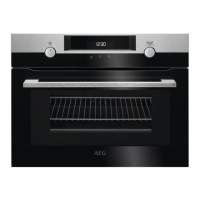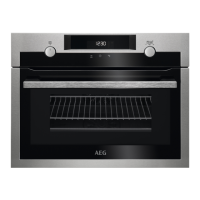
What to do if my AEG KMK768080M Microwave Oven shows F602 or F603 error codes?
- AAmanda RobertsSep 6, 2025
If your AEG Microwave Oven shows F602 or F603 error codes, it indicates that Wi-Fi is not available. Turn the oven off and on.

What to do if my AEG KMK768080M Microwave Oven shows F602 or F603 error codes?
If your AEG Microwave Oven shows F602 or F603 error codes, it indicates that Wi-Fi is not available. Turn the oven off and on.
What to do if my AEG Microwave Oven does not turn on or heat up?
If your AEG Microwave Oven isn't turning on or heating, there could be several reasons. First, ensure the appliance is properly connected to the electrical supply. A common issue is an improperly closed door, so make sure it's fully closed. Also, a blown fuse could be the culprit; verify if the fuse is the problem, and if it keeps happening, consult a qualified electrician. Finally, check if the Child Lock is activated.
What does error F908 mean on my AEG KMK768080M Microwave Oven?
Error F908 on your AEG Microwave Oven indicates that the oven system cannot connect with the control panel. Turn the oven off and on to attempt to resolve this issue.
What to do if the first Wi-Fi connection fails on my AEG KMK768080M (F604)?
If the first connection to Wi-Fi failed on your AEG Microwave Oven (F604), turn the oven off and on, and then try again.
Why is the wireless signal to my AEG Microwave Oven disrupted?
The wireless signal to your AEG Microwave Oven might be disrupted by a microwave appliance placed nearby. Turn off the nearby microwave appliance to resolve this.
What does error code F601 mean on my AEG KMK768080M?
Error code F601 on your AEG Microwave Oven indicates a problem with the Wi-Fi signal. Check your network connection.
How to improve a weak wireless signal on my AEG Microwave Oven?
To improve a weak wireless signal on your AEG Microwave Oven, move the router as close to the oven as possible.
What to do if touch fields on my AEG Microwave Oven display don't work?
If the touch fields on your AEG Microwave Oven display aren't working properly, clean the surface of the display. Ensure there is no dirt on the touch fields.
How to fix wireless network signal issues with my AEG KMK768080M Microwave Oven?
If you're experiencing issues with the wireless network signal on your AEG Microwave Oven, check your wireless network and router. Try restarting the router to see if that resolves the problem.
What to do if my AEG Microwave Oven doesn't turn on or heat up?
If your AEG Microwave Oven doesn't turn on or heat up, there are several possible causes: * The oven may not be correctly connected to the electrical supply. Ensure it is properly connected. * The clock may not be set. Set the clock. * The door may not be fully closed. Make sure the door is completely closed. * A fuse may be blown. Verify if the fuse is the issue. If it happens again, contact a qualified electrician. * The Child Lock may be activated. Refer to the Menu section, Options submenu, to deactivate it.
| Oven size | Small |
|---|---|
| Oven type | Electric |
| Cleaning type | Hydro |
| Steam cooking | No |
| Bottom heating | Yes |
| Microwave power | 1000 W |
| Number of ovens | 1 |
| Reheat function | - |
| Total oven power | - W |
| Oven thermostat range | 30 - 230 °C |
| Total oven(s) interior capacity | 43 L |
| Clock type | Electronic |
| Timer type | Digital |
| Timer modes | Cooking time, End cooking time |
| Number of OSD languages | 30 |
| Door hinge | down |
| Cord length | 1.5 m |
| Noise level | 52 dB |
| Control type | Touch |
| Display type | TFT |
| Product color | Black, Stainless steel |
| Control position | Front |
| Interior material | Enamel |
| Oven door opening | Drop down opening |
| Appliance placement | Built-in |
| AC input voltage | 230 V |
| AC input frequency | 50 Hz |
| Energy consumption (conventional) | - kWh |
| Lamp type | Halogen |
| Lamps quantity | 1 lamp(s) |
| Depth | 567 mm |
|---|---|
| Width | 595 mm |
| Height | 455 mm |
| Installation compartment depth | 550 mm |
| Installation compartment width | 560 mm |
| Installation compartment height | 450 mm |
Safety guidelines for children and individuals with reduced physical, sensory or mental capabilities.
Broad safety precautions for appliance operation, installation, and maintenance.
Instructions and requirements for safely installing the appliance, including dimensions.
Guidelines for proper and safe electrical hookup, including earthing and socket requirements.
Rules and precautions for the safe and correct operation of the appliance.
Procedures for maintaining and cleaning the appliance and its components.
Explanation of the buttons and indicators on the oven's control panel.
Description of the oven's display screen and its various indicators.
Steps for cleaning the oven and accessories before its first operation.
Initial setup steps after connecting the appliance for the first time.
Step-by-step guide to setting various standard heating functions.
General advice and precautions for cleaning the oven and accessories.
Common issues and their initial troubleshooting steps.
Explanation of error codes and how to resolve them.