Operating Instructions
22
Wash Program Progress
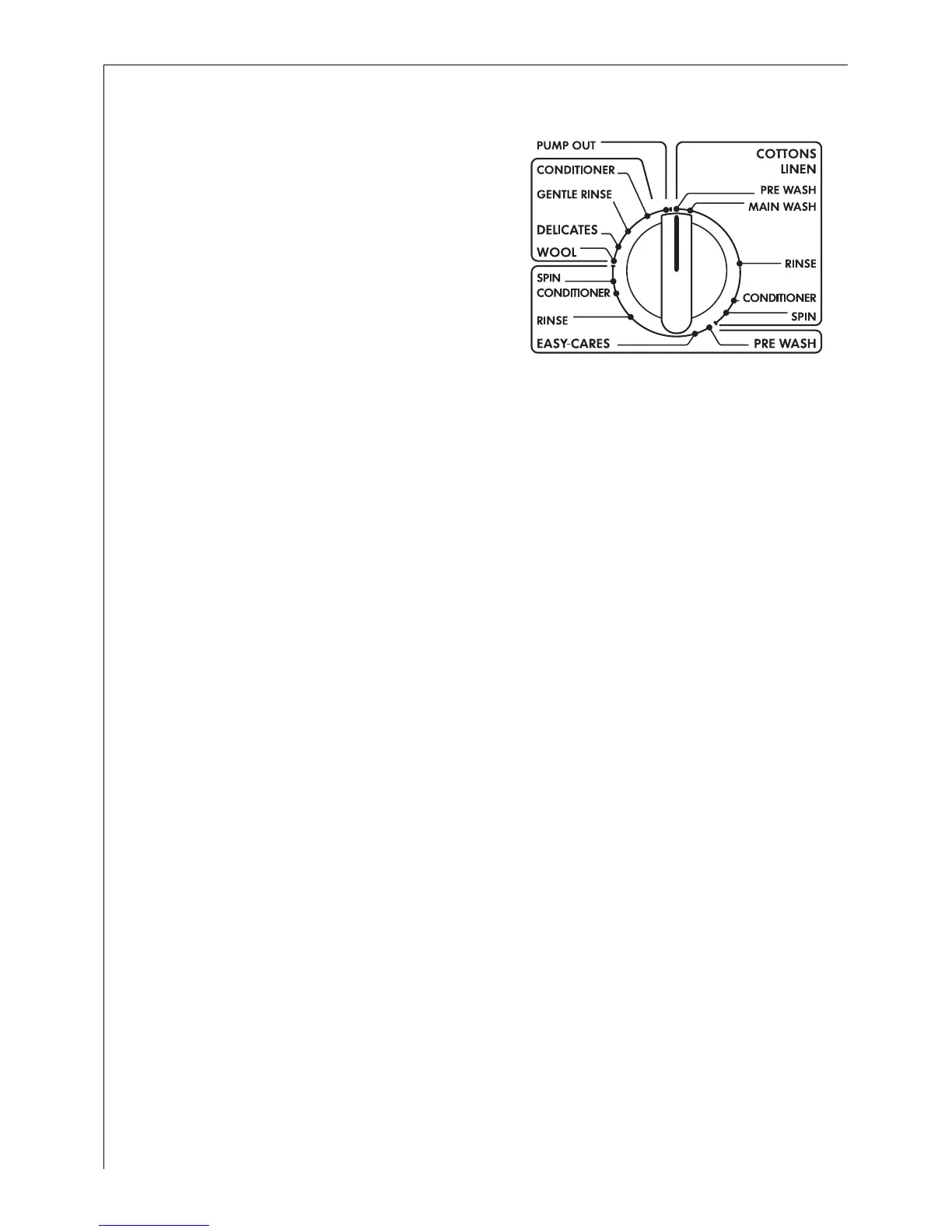
Program progress display
The program selector is also a
program progress display. It turns
clockwise as the program
progresses until it ends, showing
the stage of the program that is
currently being carried out.
The speed at which the program
selector turns varies.
Changing/Interrupting the Washing Program
Changing settings
Whilst the wash program is in progress you can
– change the spin speed;
– select RINSE HOLD.
To select a different program you must first interrupt the program that
is running and then re-set.
Interrupting the wash program
0 1. Press ON/OFF button. The power indicator light will go out.
2. Turn the program selector clockwise either to PUMP OUT or to SPIN.
3. Press ON/OFF button again. The power indicator light will come on.
Water is:
– pumped out or
– pumped out and the washing then spun.





 To Next Page