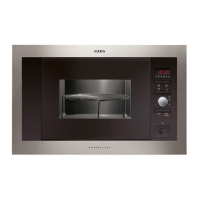
MC175 t
t
15
Microwave setting guide
Power Setting Suggested use
90W PL-1 Keeping warm : Keeping foods warm
180W PL-2 Defrost : Thawing frozen foods.
270W PL-3 Simmer : Completing the cooking cycle of some pot roasts.
Casseroles and stews.
360W PL-4 Medium Low : Baked custards or cheesecakes.
450W PL-5 Medium : Faster defrosting for casseroles and stews.
540W PL-6 Medium Hi : Baking cakes and sponge puddings
630W PL-7 Reheat Low : Reheating of casseroles and stews..
720W PL-8 Reheat : Reheating pre-cooked foods.
810W PL-9 Reheat Hi : Roasting joints of meat and poultry.
900W PL-10 Max Power: Boiling or reheating liquids. Cooking vegetables.
Preheating a browning dish.
Microwave cooking in two or three stages
This basic microwave cooking method allows you to cook food for a desired time at different
power levels. In addition to the maximum power level, you can select from 10 different
microwave power levels, Hi W(900W) to 90W for the foods that require slower cooking.
Foods with high moisture content should be cooked on maximum power as this is the fastest
cooking method and best maintains the natural flavour and texture of the foods.
Example: To cook at 450W for 1 minute 30 seconds, then at 900W for 7min.
1.
Touch Pause/Clear
2.
Touch the time button.
3.
Set the desired time by pressing buttons ’ 1 ’ , ’ 3 ’ then ’ 0 ’ on the number pad.
4.
Touch the power button.
5.
Set the desired power (450W = 5) by pressing button ’ 5 ’ on the number pad.
6.
Touch the time button.
7.
Set the desired time by pressing buttons ’ 7 ’ , ’ 0 ’ then ’ 0 ’ on the number pad.
8.
Touch the power button.
9.
Set the desired power (900W = 10) by pressing button ’ 1 ’ then ’ 0 ’on the number pad.
10.
Touch Start
If you wish to cook in three stages, simply repeat steps 2, 3, 4 and 5 before you press the start
button.


 To Next Page