26
Combined Convection and Microwave
How to set
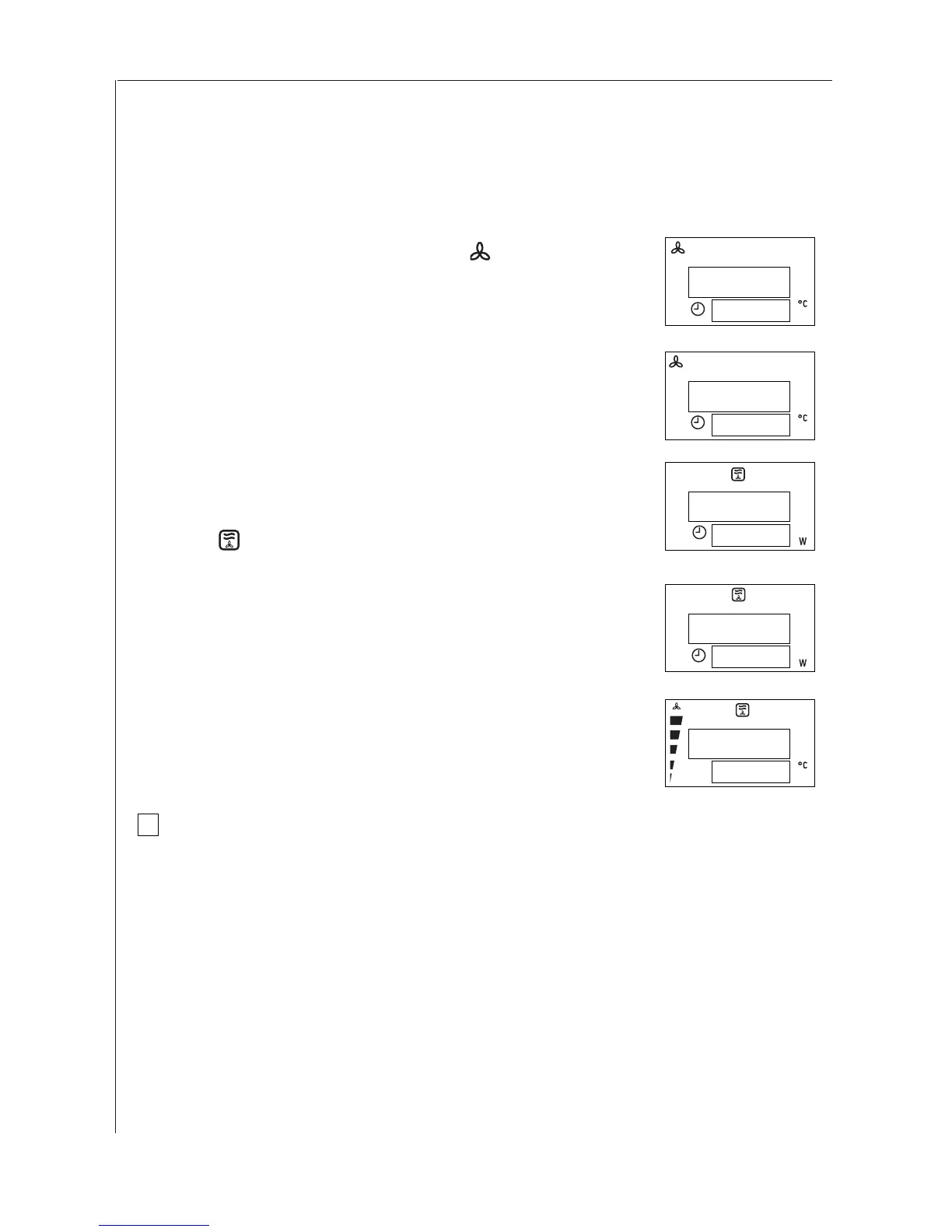
Example: a 20 minute convection programme
at 200°C and 150W microwave power
1. Press the CONVECTION button . The corresponding
symbol and the pre-set temperature, 150°C, appear in
the display together with the clock symbol and 00:00.
2. Set the desired temperature with the selector knob,
e.g. press twice more to select 200°C.
3. Press the MICROWAVE button five times to select
150W (available settings : 80 - 150 - 400).
The combined microwave + convection symbol
appears in the display, 200° C and 150 W
flash alternately.
4. Set the desired programme time by using the
selector knob, e.g. 20 minutes.
5. Press the START button. The pre-set time will start
to count down in the display.
You may modify the microwave power setting,
the convection temperature or the programme
length during the programme.
☞
00:00
150
00:00
200
19:59
200
00:00
150
20:00
150
i



 To Next Page