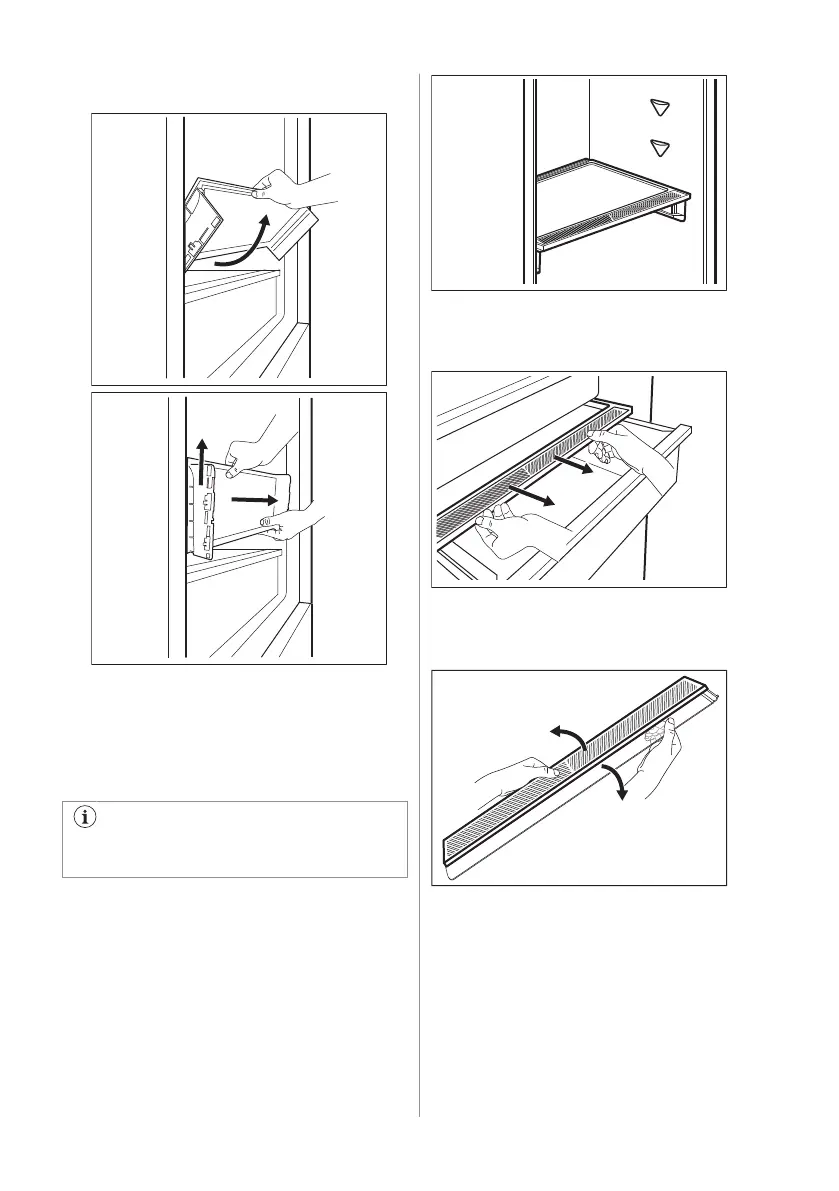
2. Pull the glass shelf support towards
yourself.
5.6 Humidity control
The glass shelf of the GreenZone drawer
features a device that regulates its sealing
and provides for optimal humidity inside the
drawer.
Do not place any food products on the
humidity control device.
To remove the humidity control device:
1. Open the drawer below the glass shelf
and pull out the cover.
2. If you need to replace the device's white
membrane, grab the device in the middle
and separate the membrane from the
cover by pulling the cover.
3. Assemble a new membrane into the
cover by pressing the edge of the
membrane into the cover.
ENGLISH 15



 To Next Page