EasyManua.ls Logo

AENO TB1 - Page 17

AENO TB1
168 pages
Print Icon
To Next Page IconTo Next Page
To Previous Page IconTo Previous Page
Loading...
16 aeno.com/documents
with a little dishwashing detergent into the blender and press the "CLEANING"
button. The blade will rotate as long as you hold down the button. When the
cleaning is finished, rinse the blender bowl with warm running water.
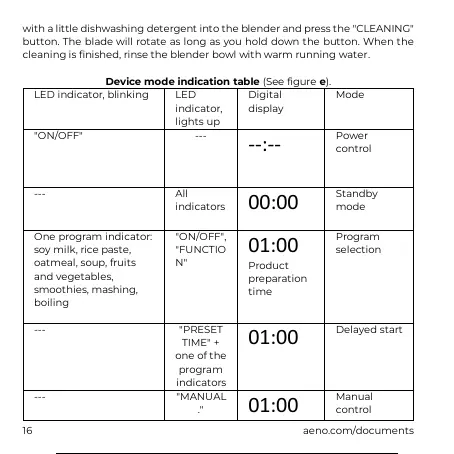
Device mode indication table (See figure e).
LED indicator, blinking
LED
indicator,
lights up
Digital
display
Mode
"ON/OFF"
---
--:--
Power
control
---
All
indicators
00:00
Standby
mode
One program indicator:
soy milk, rice paste,
oatmeal, soup, fruits
and vegetables,
smoothies, mashing,
boiling
"ON/OFF",
"FUNCTIO
N"
01:00
Product
preparation
time
Program
selection
---
"PRESET
TIME" +
one of the
program
indicators
01:00
Delayed start
---
"MANUAL
."
01:00
Manual
control
17 / 168 16 / 166 17 / 168 16 / 166 17 / 168

Related product manuals