EasyManua.ls Logo

AeonAir WDH-945EL - User Manual

AeonAir WDH-945EL
15 pages
Print Icon
To Next Page IconTo Next Page
Loading...
ITEM #0526013
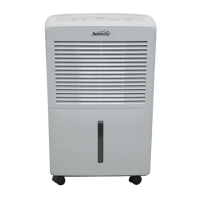
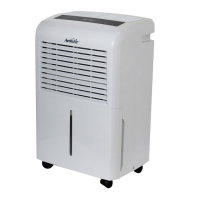
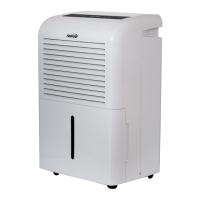
DEHUMIDIFIER
MODEL: WDH-945EL
Español p. 14
ATTACH YOUR RECEIPT HERE
Serial Number__________ Purchase Date__________
1
Questions, problems, missing parts? Before returning to your retailer, call our customer
service department at 1-855-900-1298, Monday - Thursday, 8 a.m. - 6 p.m., EST, Friday, 8
a.m. - 5 p.m., EST.
TM

Questions and Answers

  • S
    Stephen WoodAug 1, 2025
    What to do if my AeonAir Dehumidifier will not operate?
    • T
      Tammy DavisAug 1, 2025
      If your AeonAir Dehumidifier isn't working, here are a few things to check: * Make sure the power cord is securely connected. * Check the electrical outlet for a blown fuse. * Ensure the water tank isn't full; empty it if it is. * Confirm that the water tank is correctly installed.
  • L
    Lucas BallAug 11, 2025
    Why AeonAir WDH-945EL Dehumidifier relative humidity setting not reached?
    • A
      agentryAug 11, 2025
      If your AeonAir Dehumidifier isn't reaching the humidity setting you've chosen, make sure all doors and windows are closed. Also, the room might be too large for the dehumidifier's capacity.
  • E
    Emily MartinAug 22, 2025
    Why is the dehumidifying capacity of my AeonAir WDH-945EL Dehumidifier low?
    • T
      Tyler HortonAug 22, 2025
      Several factors can cause low moisture removal in your AeonAir Dehumidifier: * The room temperature might be too low (below 41°F). * There could be poor air flow or an obstruction in front of the grille. * The air filter could be dirty or blocked. * The relative humidity in the room might be very low.

Summary

Package Contents

Safety Information

General Safety Precautions

Covers general electrical safety, grounding, and unattended operation risks.

Power Cord and Chemical Safety

Warns against pulling power cords and using chemicals near the unit.

Placement and Environmental Safety

Advises on proper unit placement for stability and heat dissipation.

Caster Installation Guide

Provides step-by-step instructions for attaching the unit's casters.

Handling and Storage Safety

Details safe practices for operating, moving, and storing the dehumidifier.

Operating Instructions

Control Panel Features

Explains the functions of the power, fan speed, timer, and display buttons.

Startup and Operation Modes

Guides on initial setup, water tank status indicators, and defrost mode operation.

Dehumidifying Functions

Details how to select humidity levels and fan speeds for optimal dehumidification.

Air Filter Maintenance

Explains the importance of the air filter and provides cleaning instructions.

Continuous Drainage Setup

Details how to set up a continuous drain hose for automatic water removal.

Care and Maintenance

Cleaning Procedures

Provides guidelines on safely cleaning the unit's exterior and components.

Long-Term Storage

Outlines steps for preparing the unit for storage and proper storage conditions.

Troubleshooting

Warranty Information

Limited Appliance Warranty

Details the terms and conditions of the manufacturer's limited appliance warranty.

Warranty Exclusions and Provisions

Lists conditions that void the warranty and general legal provisions.

Replacement Parts List

AeonAir WDH-945EL Specifications

General IconGeneral
BrandAeonAir
ModelWDH-945EL
CategoryDehumidifier
LanguageEnglish

Related product manuals