
 Need help?
Do you have a question about the Aerial Industries AIHT652 and is the answer not in the manual?
Lists key features like DVB-T/T2 compliance, format support, multilingual options, EPG, Teletext, and USB interface.
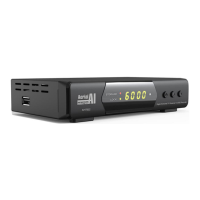
Details the function of LEDs (STORAGE, SIGNAL), LED numbers (channel/time display), and buttons (POWER, CH+/-).
Describes the rear panel connectors: ANTENNA, D.AUDIO, HDMI, VIDEO/AUDIO L&R, IR-EXTN, 12-15V DC, and USB2.0.
Explains the functions of RCU keys like Power, Navigation, Play/Pause, USB, REC, ZOOM, AUDIO, SUB, TXT, INFO, MENU, EXIT, VOL, CH.
Details receiver placement, cable connections, powering on, and the initial boot-up sequence and display.
Details how to start Auto Search using the 'OK' key and mentions default output resolution and channel listing.
Allows selection, FAVourites, Lock, Skip, Move, and Edit of channels from the TV channel list.
Provides similar functions to the TV Channel List for radio channels.
Enables viewing of channels previously deleted from the TV channel list.
Enables viewing of channels previously deleted from the Radio channel list.
Logical Channel Numbering: option to change from On (default) to Off.
Limits program access by broadcaster ratings or allows changing the password.
Receiver automatically searches to find and save available channels.
Allows searching for programs by selecting specific frequencies.
Option to power a 5V mast amplifier; default is Off.
Option to search for Free To Air channels; default is Yes.
Defines whether Auto Search reinstalls (deletes) or updates (keeps) channels.
Allows selection of a different Menu Language; default is English.
Select preferred audio language; English is available in Australia.
Select the second audio language where broadcast.
Select subtitle language; English is broadcast in Australia.
Select teletext language; Teletext is no longer broadcast in Australia.
Select TV system from Auto, PAL, and NTSC with caution.
Select output resolution between 1080p, 1080i, 720p, 576i or 576p; default is 720p.
Match the display shape to the screen ratio, either 4:3 or 16:9.
Select video effects from Default, Standard, and Vivid.
Select audio output between BS Bitstream and LPCM.
Enable AD where broadcast; it remains part of recordings.
Adjust Audio Description volume level relative to the main audio volume.
Receiver calculates local time including Summer Time offset from GMT.
Displays basic information about the receiver.
Reloads factory default parameters, deletes channels, and requires rescan.
Manages electronic program guide and timer record events.
Manages Subtitle Display, On Screen Display timeout, and OSD transparency.
Provides instructions for upgrading receiver firmware via USB, with caution.
Allows saving a unique setup configuration to an external USB device.
Includes options for Auto Standby, firmware upgrade, and channel list updates.
Guides on connecting USB storage and playing back recorded TV programs.
Lists supported music and audio file formats for playback.
Lists supported image file formats for viewing.
Lists supported movie file formats and full-screen playback.
Provides information on USB storage device capacity and free space.
Details formatting USB storage devices, file systems (FAT32), and limitations.
Selects USB storage device partitions for TimeShift and DVR.
Explains pausing live programs, TimeShift recording, and playback.
Guides on connecting the receiver to a nearby WiFi Network for features.
Provides a selection of world news stories from Yahoo.
Guides on loading and reloading Web Radio stations using CH+/- and OK keys.
Provides solutions for common problems like no light, no picture, poor quality, and remote control issues.
Details frequency range, DVB T2 signal level, and ANT Power.
Covers transport stream, profile level, aspect ratio, and video formats.
Details audio decoding formats and audio output modes.
Specifies input voltage, power consumption, and protection mechanisms.
Covers operating/storage temperatures, inclusions, and optional accessories.
 General
| Brand | Aerial Industries |
|---|---|
| Model | AIHT652 |
| Category | Media Player |
| Language | English |

 To Next Page