
 Need help?
Do you have a question about the Aero ALUP Air Control 5.0 and is the answer not in the manual?
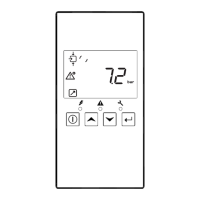
Regulator maintains net pressure by automatically loading/unloading compressor.
Warns operator of problems and shuts down compressor if critical levels are exceeded.
Advises operator to carry out service maintenance when service timer exceeds preset value.
Function to automatically restart compressor when voltage is restored after failure.
Explains how to navigate the controller's menu structure.
Accesses and displays the total running hours of the compressor.
Displays the total count of compressor motor starts.
Shows the operating hours of the regulator module.
Displays the accumulated time the compressor was running under load.
Shows the number of unload to load actions.
Allows viewing and resetting the service timer for maintenance intervals.
Enables viewing and selecting pressure bands for regulation.
Allows modification of load and unload pressure band settings.
Enables changing the number of hourly compressor activations, typically 0-25.
Allows changing the temperature display unit between Celsius and Fahrenheit.
Allows changing the pressure display unit (bar, psi, MPa).
Sets the duration for the display backlight activation after a button press.
Describes how to enable/disable automatic compressor restart after a power interruption.
Explains how to activate physical input for start/stop control, requiring dealer assistance.
Allows modification of the maintenance warning timer settings.
Enables password protection for critical settings like service timer and pressure bands.
Describes how to lock/unlock the control panel keyboard to prevent unintended changes.
 General
| Type | Control Panel |
|---|---|
| Model | ALUP Air Control 5.0 |
| Protection Rating | IP54 |
| Voltage | 24V DC |
| Communication | Modbus RTU |
| Display | LCD |
| Control Functions | Load/Unload, Pressure Regulation |
| Compatibility | ALUP Compressors |

 To Next Page