Need help?
Do you have a question about the Aerocool Cylon and is the answer not in the manual?
Details the pinout for the F-PANEL, HDD LED, and POWER connectors.
Lists essential screws and standoffs for PC component installation.
Instructions for correctly mounting the motherboard inside the case.
Guidance on securely installing the power supply unit (PSU).
Steps for inserting expansion cards like GPUs or network cards.
Instructions for mounting two 3.5-inch Hard Disk Drives.
Instructions for mounting two 2.5-inch Solid State Drives.
Guidance on installing case fans for optimal airflow.
Description of front panel ports (Power, USB, Audio) and LED control.
 General
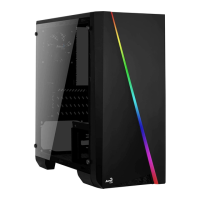
| Form Factor | Mid Tower |
|---|---|
| Motherboard Support | ATX, Micro-ATX, Mini-ITX |
| Expansion Slots | 7 |
| PSU Support | ATX |
| Material | Steel, Plastic |
| Color | Black |
| Weight | 3.8 kg |
| Dimensions | 198 x 459 x 413 mm |
| Drive Bays | 2 x 2.5", 2 x 3.5" |
| Cooling Support | Front: 3 x 120mm, Rear: 1 x 120mm |
| Radiator Support | Front: 240mm, Rear: 120mm |
| Side Panel | Acrylic |
| Front I/O Ports | 1 x USB 3.0, 2 x USB 2.0, HD Audio & Mic |

 To Next Page