LED Brightness: Increase/decrease LED brightness
Increase Brightness
Decrease Brightness
Remote/HUB Pair Lock
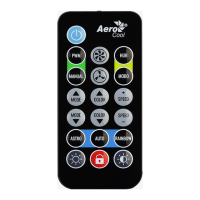
Press the lock button 5 times consecutively to pair one remote to one hub.
Example: If you have two H66F remotes, remote 1 and remote 2 can both control the same
hub. By pressing the lock button 5 times consecutively on remote 1 (fan will blink once to
indicate successful pairing), only remote 1 will be able to control the HUB.
Note: We recommend consecutively pressing the lock button more than 5 times until the fan
LED blinks to indicate successful pairing.


 To Previous Page