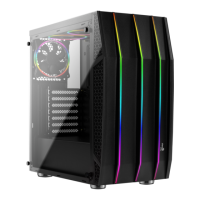
I/O Panel
How to install Guide
Install 2.5" HDD
Instalación de 2.5" HDD
2,5-Zoll-Festplatte installieren
Installer disque dur 2,5"
Installare l'unità HDD 2,5"
Instalacja HDD 2,5"
Установите 2.5” жесткий диск
Instalar o HDD de 2,5"
安裝2.5”硬碟 / 安装2.5”硬盘
2.5インチHDDを取り付けます
2.5 «қатты дискіні» орнатыңыз
Yükleme 2.5 "HDD
LED Mode Switch
Purple Cyan Yellow White Blue Green Red
RGB1
RGB2 RGB3 RGB4 RGB5 RGB6
(5b) Install 2.5” SSD x 2(5a) Install 2.5” SSD x 1
Install the radiator
Instalar radiador
Lüfter installieren
Installer le radiateur
Installare radiatore
Zainstaluj chłodnicę
Установите радиатор
Instale o radiador
安裝散熱排 / 安装散热排
ラジエーターの取り付け
радиаторды орнатыңыз
radyatör takın
(6b) Install Rear Radiator x 1(6a) Install Front Radiator x 1
(7a) Install Front Fan
(7c) Install VGA Fan
(7b) Install Top & Rear Fan
Install Fan
Instalación de Ventilador
Lüfter installieren
Installer ventilateur
Installazione della ventola
Instalacja wentylatora
Установите вентилятор
Instalar as ventoinhas
ファンを取り付けます
Желдеткіш орнатыңыз
Fan yükleyin
安裝機箱風扇 / 安装机箱风扇
Note : Specifications may vary depending on your region.
Contact your local retailer for more information.
Power HD Audio & Mic. USB3.0USB3.0
Reset
(LED Control Button)
( Hold switch for 2 secs to turn off LED )


 To Previous Page