Back
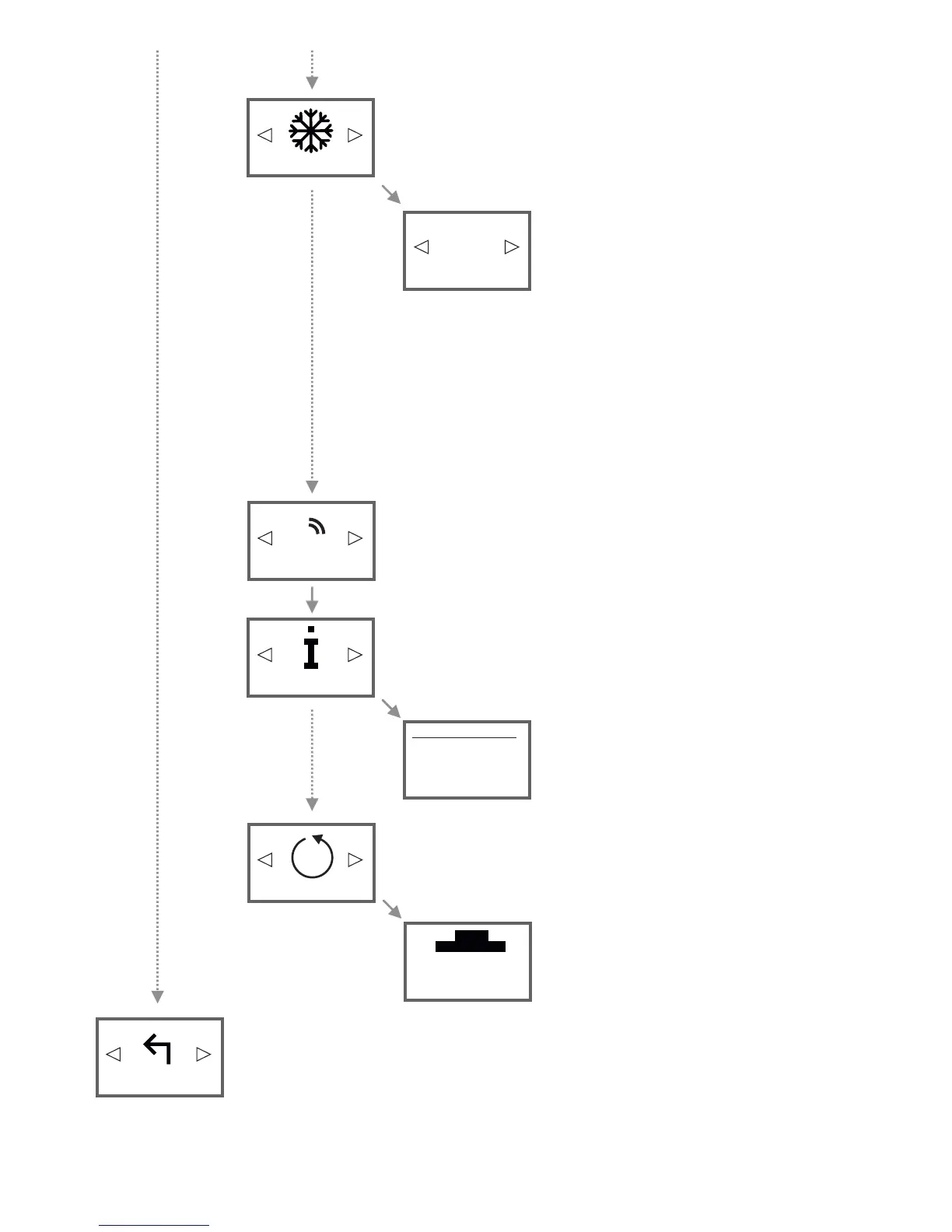
To exit the menu, confirm with OK. The Status Display appears.
Menu to reset all configurations to factory settings.
ATTENTION: All personal settings made will be lost!
Follow the instructions on the display.
The restarts and you will see the AeroFlow® heater
Status Display view then.
(!) Keep pressed
left button
to proceed
ARE YOU
COMPLETELY SURE?
Factory Reset
!
Use this menu to connect the to your smartphone or tablet.AeroFlow® heater
Prerequisite: Gateway (not included in standard delivery)AeroFlow® heater
Install
+
This display view shows the main details of your
device.
In this menu you will find information about the device, such as the software
version.
D
Information
Thursday 09:06
Firmware:
System ID:
Heater ID:
IDU:
1 °C
Select a Antifreeze temperature between 0 ° C and
17 ° C. Confirm with OK. The Antifreeze temperature
can be changed manually at any time in the
Temperature-overview display and is retained
temporary until the beginning of the next time
frame. After the preset end time of the next time
frame, the Antifreeze temperature set in this menu is
activated again (and can be changed manually again).
Note:
If "Smart Start" is activated, the AeroFlow® radiator
will start to heat already before the next time frame
starts.
If "Smart Start" is deactivated, the Antifreeze tempe-
rature is retained until the set start time.
If „Programs = ON“, the Antifreeze temperature intervenes between two not
directly successively time frames.
Example: Time frame 1: 6:00 a.m. to 7:00 a.m. = 22,0 ° C
Time frame 2: 8:00 a.m. to 9:00 a.m. = 23,0 ° C
In the time between time frame 1 and time frame 2 (7:01 a.m. to 7:59 a.m.),
the Antifreeze protection temperature is retained.
D
Antifreeze
Antifreeze
16


 To Next Page
 Loading...