EasyManua.ls Logo

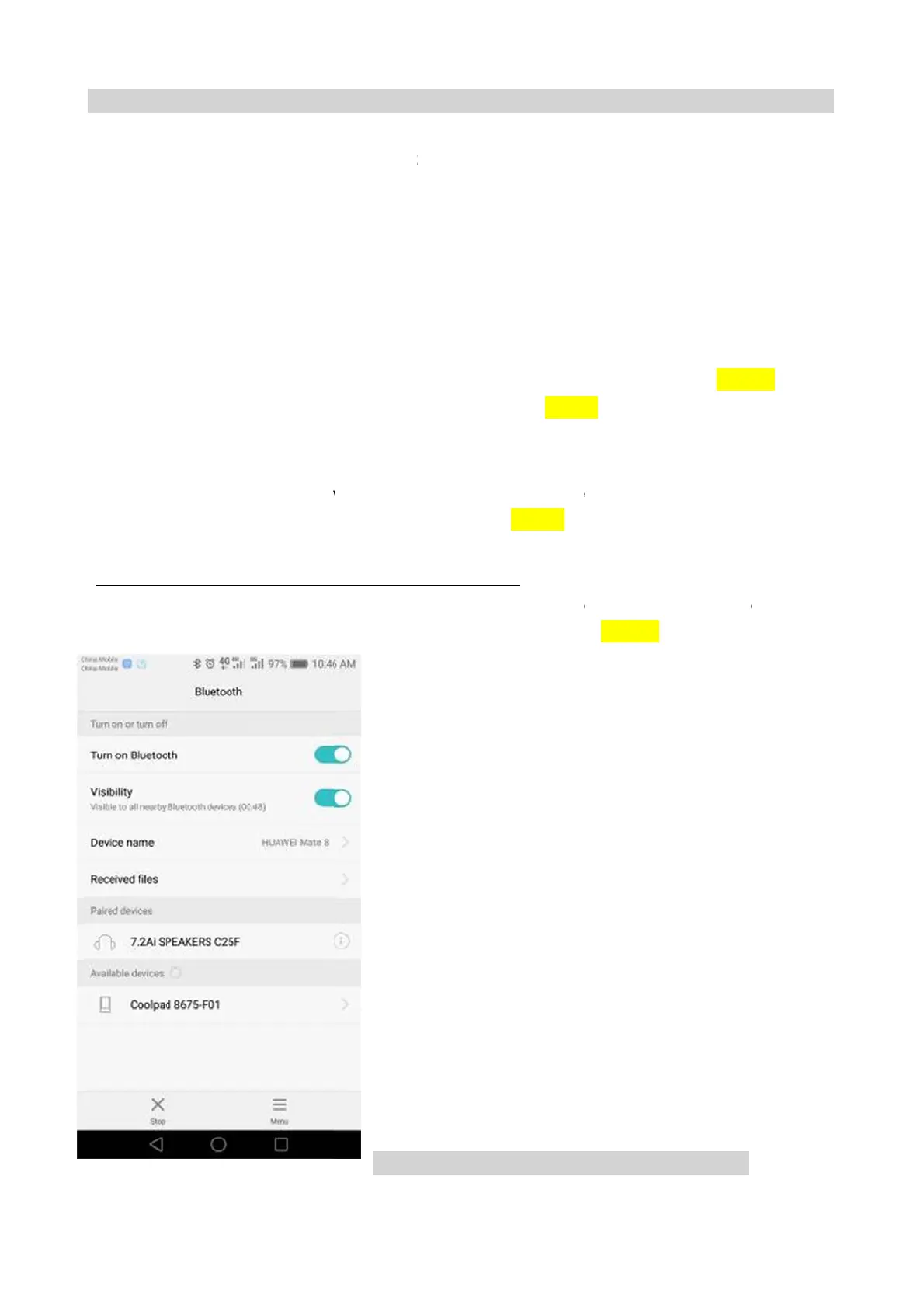
AFG Pro 7.2AI - Bluetooth Functionality Troubleshooting

AFG Pro 7.2AI
36 pages
Print Icon
To Next Page IconTo Next Page
To Previous Page IconTo Previous Page
Loading...
3.3.7. TR
O
SOLUTION
1) Check if
2) To searc
A.
the Blue
t
1) Remove
properly to
t
2) If the ke
y
B.
the Blue
t
1) If the de
v
Bluetooth
m
c), The Blu
e
If the mo
b
may be a B
O
UBLES
H
:
mobile devi
c
h the device
t
ooth LED is
the back of
c
t
he console
c
y
pad does n
o
t
ooth LED is
v
ice speaker
s
m
alfunction o
e
tooth is pai
r
b
ile device i
s
luetooth mal
H
OOTING
-
c
e’s Bluetoo
t
“7.2 Ai SP
E
not lit:
c
onsole and
c
ontrol boar
d
o
t resolve th
e
on but not
p
s
do not sho
w
n the machi
n
r
ing to devic
e
s
pairing to t
h
function on
t
CH
A
PTE
R
-
No Bluet
h function is
AKERS XX
X
see if the Bl
d
. Reconne
c
e
issues, re
p
p
airing to de
v
w
up when
a
n
e. Replace
e
but cannot
h
e machine
s
t
he machine
.
Fig-
R
3: Trou
t
ooth Fun
c
turn on. If
N
X
X” and pari
n
uetooth key
p
c
t the cable
a
p
lace the co
n
v
ice:
a
ttempting to
the console.
receive mu
s
s
peakers bu
t
. Replace
t
-
1
bleshooti
n
c
tion
N
o, try turn o
n
n
g it to the
m
p
ad connect
i
a
nd test the
k
n
sole. (Page
1
pair the sp
e
(Page14. F
i
s
ic.
t
the machin
e
t
he console.
g
n
the Blueto
o
m
obile devic
e
i
ng ribbon c
a
k
eypad for f
u
1
4 Fig-1)
e
akers to a
m
i
g-1)
e
is not play
i
(Page14.
F
CH
AP
o
th function
a
e
.(Fig-1)
a
ble is conn
e
u
nction (Pag
e
m
obile devic
e
ing music (n
o
F
ig-1)
P
TER 3:
2
2
a
gain.
e
cted
e
14, JP10)
e
, it may be
a
o
sound), it
2
a

Related product manuals