
 Need help?
Do you have a question about the AfiMilk AfiAct II and is the answer not in the manual?
Defines the manual's content, target audience, and support contact information.
Contains compliance statements, RF exposure rules, and important system notes.
Covers copyright, license terms, and symbol explanations.
Crucial safety guidelines for electrical and general operation.
Glossary of terms, abbreviations, and manual revision history.
Explains the system's data flow from tags to analysis via the reader.
Details the supported installation and upgrade scenarios for the AfiAct II system.
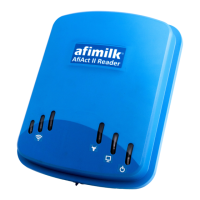
Details components like the AfiAct II Reader 2.0 and bracket arm.
Lists items for the electricity box, like screws, connection box, and cable ties.
Describes the different AfiTag II and AfiCollar tag models available.
Guides on selecting an optimal location for the AfiAct II Reader based on site survey.
Details network requirements (Wi-Fi/wired) and power coverage for the AfiAct II system.
Outlines PC requirements including OS, processor, memory, and network setup.
Details PC requirements for OS, processor, memory, and storage.
Ensures correct network connections and private network setup for AfiFarm.
Guides on configuring power settings, installing updates, and setting time synchronization.
Reviews all prerequisites to ensure the system is ready for installation.
Provides general notes on installation time and process steps.
Guides on starting the AfiFarm 5.4 installation wizard and proceeding through setup screens.
Steps to connect the AfiAct II Reader to the network and obtain an IP address.
Configuration of basic AfiControl parameters for system functionality.
Confirms successful communication handshake between the Reader and AfiControl.
Instructions for configuring Wi-Fi settings for the Reader if not using wired connection.
Details the process of mounting the power and electricity boxes to the pole.
Guides on attaching the bracket arm and mounting the AfiAct II Reader to the pole.
Final steps to connect the Reader to the power outlet and verify operation.
Instructions for activating and validating AfiTag II and AfiCollar tag transmission.
Procedures to validate tag coverage within the Reader's area.
Step-by-step guide for attaching AfiTag II and AfiCollar tags to animals.
Guidelines for transferring and managing tags between animals.
Recommendations for proper storage location and position of tags.
Flowchart for solving communication issues between Reader, PC, and network.
Troubleshooting steps for tags that are not transmitting or have channel issues.
Addresses issues where the Reader is not receiving tag messages.
Guides on resolving problems with accessing the Reader's Luci GUI.
Procedure for direct laptop-to-Reader connection for troubleshooting.
Suggests reviewing prerequisites if installation issues occur.
Instructions to find and record the PC's network interface details.
Steps to assign a temporary static IP address to the laptop's NIC for connection.
Details the buttons and display of the Tag RPU device.
Outlines the steps for using the RPU in read and program modes.
Lists available opcodes for operating the RPU to program tags.
Overview of AfiControl interface elements and capabilities.
Explains the functions of icons in the report management toolbar.
Guides on creating and saving customized reports within AfiControl.
Guidelines for setting session times for TieStall configurations.
Instructions for marking animals as Tied/Free in AfiFarm software.
Lists the essential data required for each animal in AfiFarm.
Details the types of animal events that need regular entry into the system.
 General
| Category | Farm Equipment |
|---|---|
| Measures | Activity levels, rumination |
| Features | Real-time alerts, integration with herd management software |
| Compatibility | AfiMilk herd management systems |
| Power Supply | Battery powered |
| Data Transmission | Wireless communication |
| Usage | Monitoring cow activity and health |
| Installation | Collar attachment to each cow |

 To Next Page