EasyManua.ls Logo

Afinion 1115660 - User Manual

Afinion 1115660
100 pages
Print Icon
To Next Page IconTo Next Page
Loading...
1
NO
User Manual 2...9
Brukermanual 10...17
Bruksanvisning 18...25
Brugermanual 26...33
Käyttöohje 34...41
Bedienungsanleitung 42...49
Manuel d’utilisation 50...57
Guida per l’utente 58...65
Manual del usuario 66...73
Manual do Utilizador 74...81
Gebruikershandleiding 82...89
Εγχειρίδιο Xρήσης 90...97
1115897 2012-04
POINT OF CARE CENTER
Afinion
TM
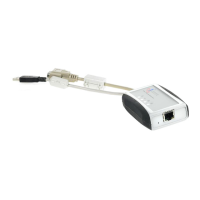
Data Connectivity Converter
1115660
FI
NL
DK
PT
SE
ES
NO
IT
FR
DE
GR
GB
US

Table of Contents

Questions and Answers

  • O
    Olivia GrahamAug 3, 2025
    What to do if the results are not transferred on Afinion 1115660 Media Converter?
    • L
      laurafisherAug 3, 2025
      If the results are not being transferred, reboot the ADCC. If the issue continues after rebooting, please contact your local Afinion supplier.
  • J
    jeremiahcollinsAug 11, 2025
    Why Afinion AS100 Analyzer communication failed?
    • H
      haydenrobertsAug 11, 2025
      The Afinion AS100 Analyzer communication may have failed because the analyzer is in self-test. Wait 1 minute after the Automatic start-up procedure is performed.
  • J
    Jennifer KirbyAug 17, 2025
    Why is there no Afinion AS100 Analyzer communication?
    • G
      gregorytraceyAug 18, 2025
      If there is no Afinion AS100 Analyzer communication, it may be that the analyzer is in the Automatic start up procedure. Wait 1 minute after the Analyzer has performed the Automatic start-up procedure.
  • W
    Wanda LambAug 25, 2025
    How to fix power on, no HIS/LIS communication on Afinion 1115660?
    • N
      Nicholas LeeAug 26, 2025
      If there is no HIS/LIS communication, wait 1 minute. Then, check the ADCC configuration and the Ethernet connection.

Summary

Symbols and Abbreviations

Intended Use of the Afinion Data Connectivity Converter

Examining the Package Contents

Description of the Afinion Data Connectivity Converter

Installing the Afinion Data Connectivity Converter

Configuration of the ADCC

Details on configuring the ADCC via its web interface.

ADCC Settings

Explanation of various ADCC network and communication settings.

Connecting ADCC

Web Interface Errors

Web Interface ADCC Software Update

ADCC Troubleshooting

LED status indicator signals

Explains the meaning of different LED indicator states for troubleshooting.

Confirm Preparations

Testing Procedures

Patient Discretion

Connecting the ADCC to a LIS;HIS System

Maintenance and Warranty

Cleaning and maintenance

Instructions for cleaning the exterior of the ADCC unit.

Warranty

Details on the warranty period and limitations for the ADCC.

Disposal of the ADCC

Technical Specifications

Third Party Software Component

Afinion 1115660 Specifications

General IconGeneral
BrandAfinion
Model1115660
CategoryMedia Converter
LanguageEnglish