EasyManua.ls Logo

AFJ Instruments FFT 3010 - Options (Tools Menu)

Default Icon
94 pages
Print Icon
To Next Page IconTo Next Page
To Previous Page IconTo Previous Page
Loading...
 !
2
Customizing your Reports
Tools => Customize => Report
>&CB@C<,=;E@AB&@' @ @@&;'E@ ]@''&<>
&@&&D=
1@A&&@>L">@C,B'M]L">@C"D"&M@@&
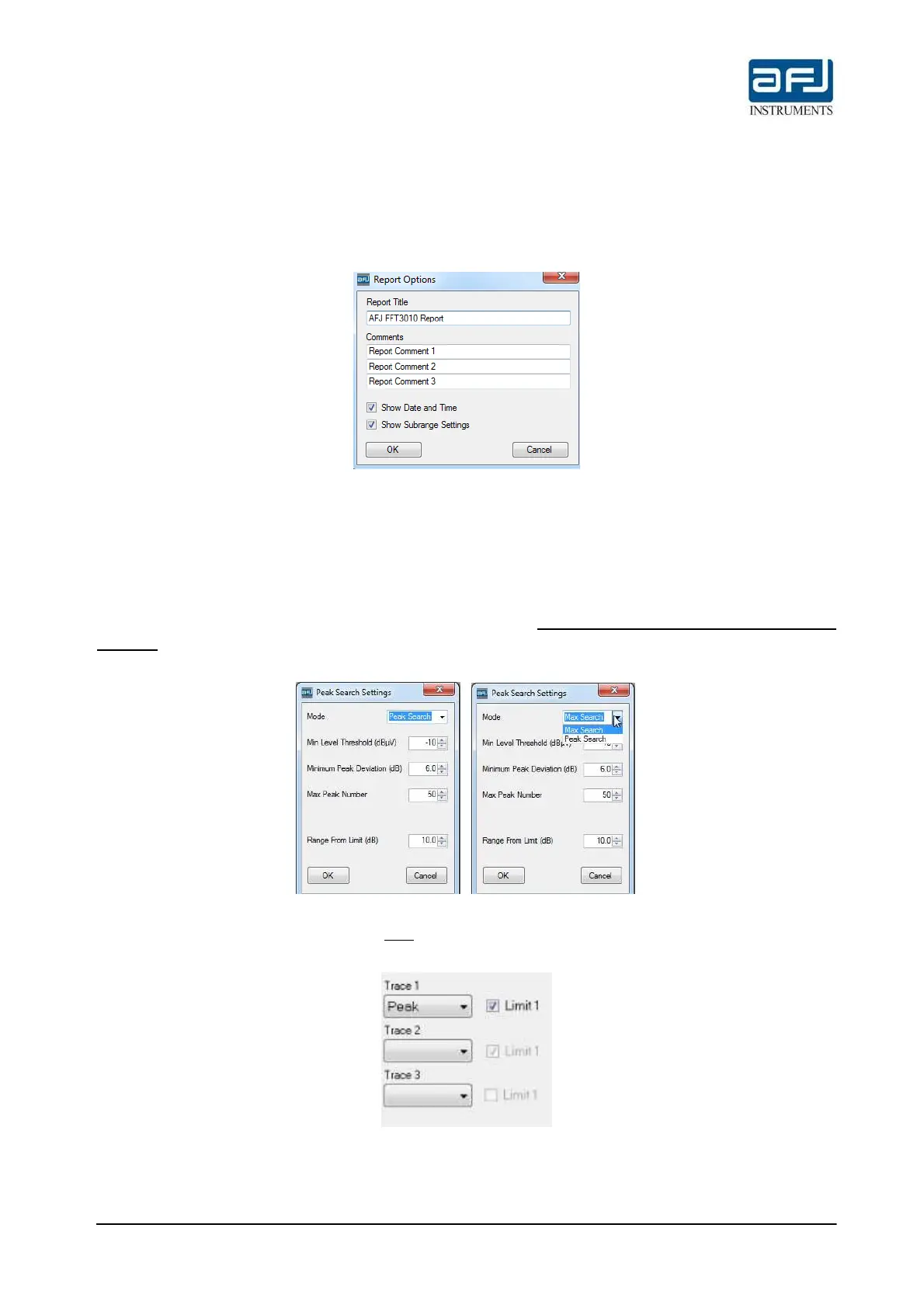
Fig. D.31: Report Options
D.2.9 • OPTIONS (TOOLS MENU)
Tools => Options => Peak Search Setting
Peak Search Settings&&>'&?@Peak Search<@ ?@BOB &A= B
Max Search <?@ &'@@>B &A; C> @ B O&=  ' '& D& @  && @? D@>
&A>&Min LevelThreshold<B3^=;Minimum Peak deviation<B3=;Maximum Peak Number BRange
From Limit (dB) <,=
Fig. D.32: Peak Search Settings
Note: >+O"A>C D ??A@E?  $'&&AB> "&"&@?>
A@AO<,=6
Fig. D.33: Limit selection on Single Test Settings section

Table of Contents