
 Need help?
Do you have a question about the Ag Leader GPS 6000 and is the answer not in the manual?
Device compliance with FCC Rules, Class B limits for digital devices, and measures to correct interference.
Device compliance with Canadian ICES-003 and RSS standards, subject to interference conditions.
Declarations of compliance with R&TTE, EMC, and RoHS directives.
Guidance on returning GPS 6000 in Europe for environmental protection and resource preservation.
Compliance with EU Directive EC 1907/2006 concerning chemicals and their safe use.
Provides phone, fax, and email for Ag Leader Support.
Explains text formatting for simplifying operation and preventing data loss.
Explains how to use blue, italic text for cross-references and web links.
Instructions for viewing the manual online via the Ag Leader website.
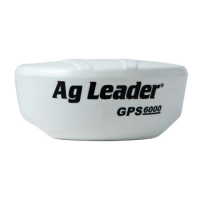
Lists the main features of the GPS 6000 receiver.
Defines the manual's content regarding installation and operation, excluding service/repair.
Steps to connect and power the GPS 6000 receiver.
Specifies the required voltage and fuse protection for the GPS 6000 power input.
Guidance on mounting the GPS 6000 securely and with an unobstructed sky view.
Information on additional features affecting the receiver system design.
Describes the self-test process when the GPS 6000 is first powered.
Explains the function of the emulated radar output for ground speed sensing.
Information on obtaining and applying firmware updates for receiver functionality.
Steps to obtain the latest firmware version from the Ag Leader Website.
Details the two types of software loaded on the GPS 6000 receiver.
Guidance on using the WinLoad utility for firmware updates and configuration.
How to set the communications port and baud rate for WinLoad.
Details the procedure for upgrading using the AUTH command via the Ag Leader display.
Provides performance specifications like channel configuration and position accuracy.
Details input/output connectors, protection, LED indicators, physical, and environmental specs.
Lists replacement parts and their corresponding part numbers for the GPS 6000.
 General
| Accuracy | Sub-meter |
|---|---|
| Channels | Up to 72 |
| Update Rate | 10 Hz |
| Frequency | L1, L2 |
| Signals Tracked | GPS, GLONASS |
| Communication | Serial |
| Mounting | Magnetic mount |

 To Next Page