EasyManua.ls Logo

AG Neovo TX-2202A - User Manual

AG Neovo TX-2202A
35 pages
Print Icon
To Next Page IconTo Next Page
Loading...
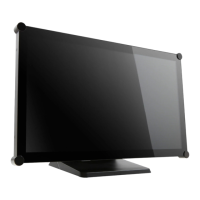
TX-2202A & TX-2202A White Touch Screen Monitor
User Manual
www.agneovo.com

Questions and Answers

  • F
    fgarciaAug 10, 2025
    What to do if my AG Neovo Touchscreen has no picture?
    • H
      hintonrebeccaAug 10, 2025
      If your AG Neovo Touchscreen isn't displaying any picture, make sure it's turned on and properly connected to both the power outlet and the input source. Ensure the input source is also powered on and not in standby mode (try moving the mouse or pressing a key). Avoid using the USB cable to charge your laptop, as this can prevent the monitor from waking up when you touch the screen.
  • B
    Brianna YorkAug 16, 2025
    Why is my AG Neovo Touchscreen displaying a partial image?
    • R
      Robert BlackAug 17, 2025
      If the image on your AG Neovo Touchscreen appears partial or is displayed incorrectly, it might be due to your computer's resolution being too high. Try reconfiguring your computer's resolution to be less than or equal to 1920 x 1080.
  • A
    alexanderstevensAug 23, 2025
    Why do red, blue, green, white dots appear on my AG Neovo Touchscreen?
    • D
      danielpetersonAug 23, 2025
      If you notice red, blue, green, or white dots on your AG Neovo Touchscreen, it's usually not a cause for concern. LCD monitors contain millions of micro transistors, and it's normal for a few to be damaged, resulting in these spots. This is considered acceptable and not a failure.
  • N
    Nicole GarciaAug 28, 2025
    What to do if faint shadows appear on AG Neovo Touchscreen?
    • E
      Elizabeth RogersAug 29, 2025
      If you're seeing faint shadows from a static image on your AG Neovo Touchscreen, try turning off the monitor for extended periods. Alternatively, use a screen saver, preferably a black and white image, and run it for extended periods.
  • B
    bakercheyenneSep 3, 2025
    What to do if dew formed on AG Neovo Touchscreen?
    • P
      pamelaserranoSep 3, 2025
      If you notice dew forming on your AG Neovo Touchscreen, especially after moving it from a cold to a hot room, do not turn it on immediately. Wait for the condensation to disappear before using the monitor.

AG Neovo TX-2202A Specifications

General IconGeneral
Resolution1920 x 1080 (Full HD)
Brightness250 cd/m²
Contrast Ratio1000:1
Response Time5 ms
Viewing Angle178° (H) / 178° (V)
Touch Points10 Points
Aspect Ratio16:9
Storage Temperature-20°C to 60°C
Touch TechnologyPCAP
InputHDMI, VGA, DisplayPort
Operating Temperature0°C to 40°C
Screen Size21.5" (54.6 cm) Diagonal
Power Consumption30W (typical)