8 9
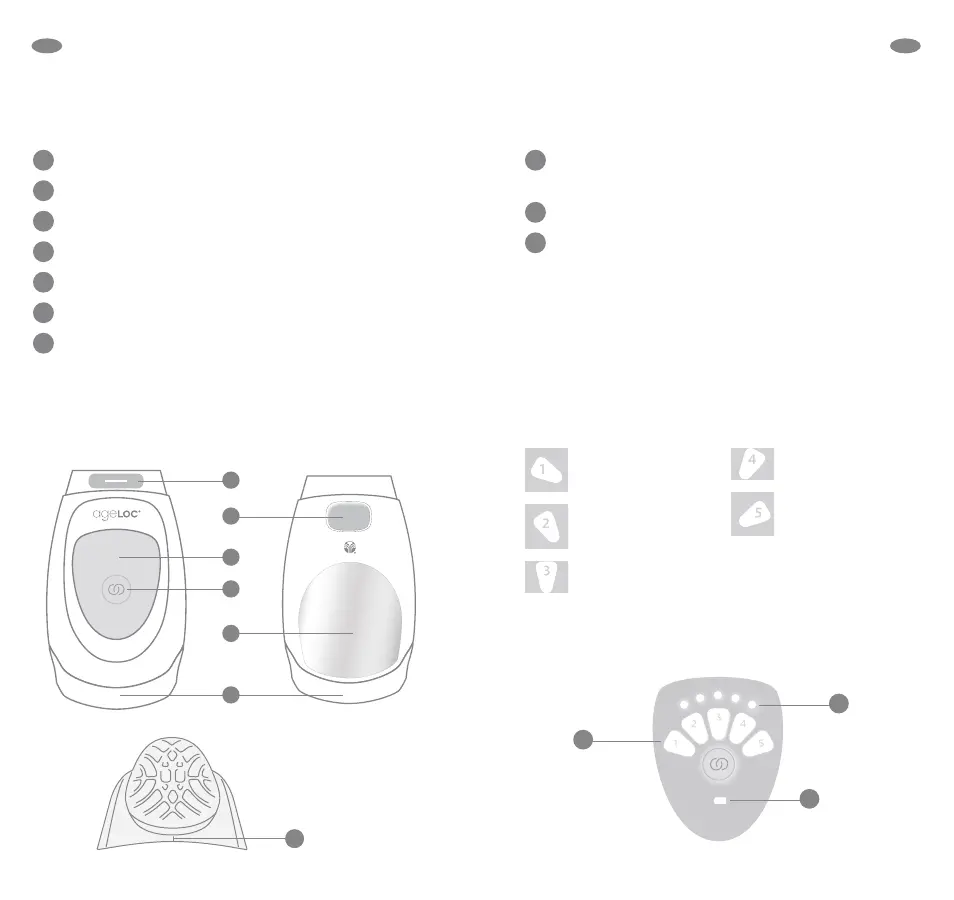
Numbers 1, 2, 3, 4, or 5 indicate the application
number and corresponding product (see below).
The five dots indicate corresponding application length.
If the batteries are low, each time the device is turned
on an amber battery symbol will appear in the bottom
of the display and the device will beep. When the
batteries are completely discharged, an amber
battery symbol will appear at the bottom of the
display and the device will turn o.
Each product should be used with the correct application
number:
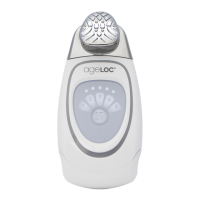
ageLOC Galvanic Spa Display
Conductor Attachment Receptor
Conductor Release Button
Display
Selection Button
Chrome Panel
Battery Compartment
Conductor Positioning Indicator (small etch)
Note: Remove protective plastic film from both sides of the
device before use.
ageLOC Galvanic Spa
Features
Galvanic Spa Facial
Pre-Treat Gel with
ageLOC
Galvanic Spa Facial
Treatment Gel with
ageLOC
Tru Face®
Line Corrector
ageLOC
Body Shaping Gel
ageLOC Nutriol®
Intensive Scalp &
Hair Serum
EN EN


 To Next Page