9
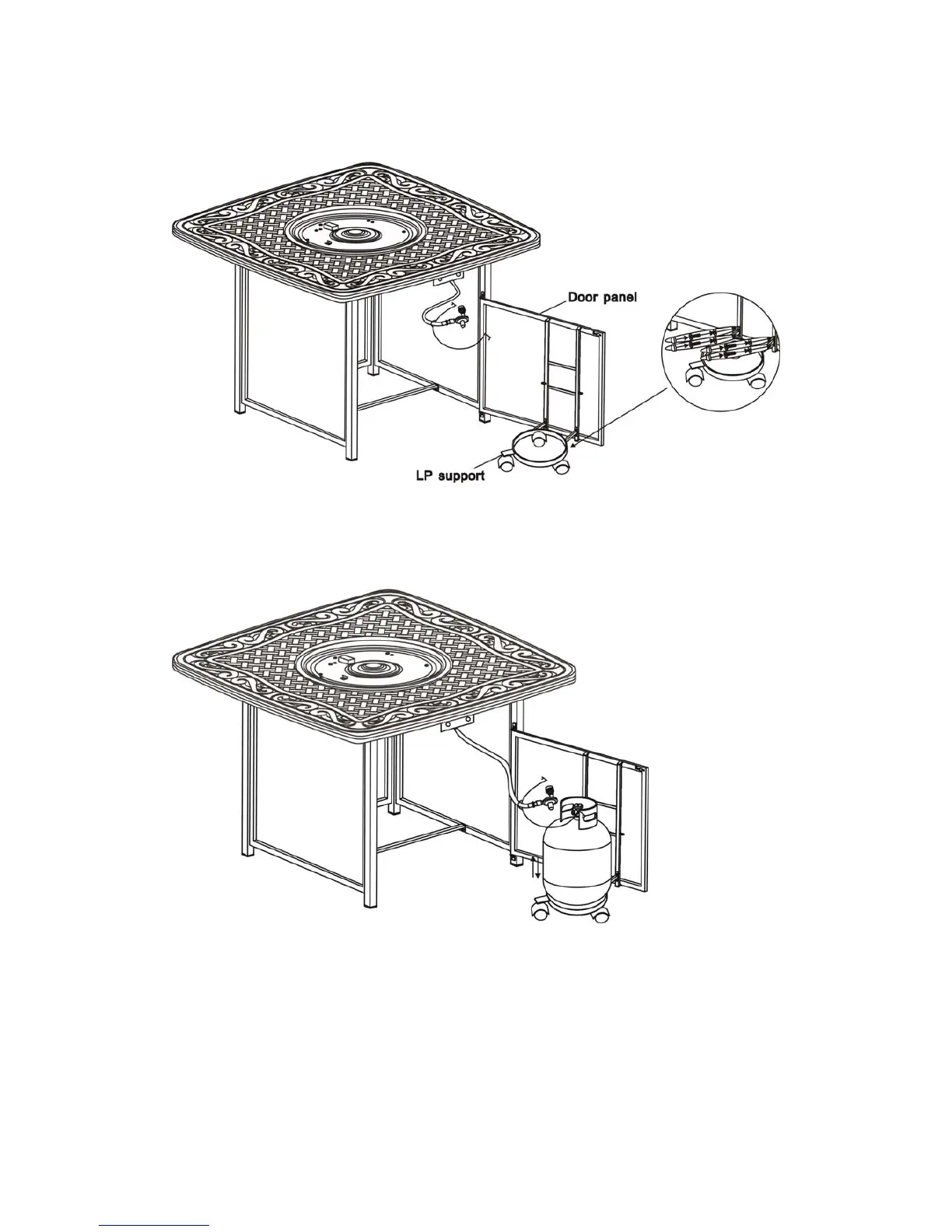
7. Attach the LP support the to door panel by using four 1/4"x15 mm bolts and washers as
shown in Figure 7. Do not over tighten.
Figure 7
8. Place gas tank onto the LP support as shown in Figure 8.
9. Attach the metal ring ( as shown in Figure 9) pre-fitted with gas hose which is
connected to the table top , into the hole of the door panel, then use hex bolt driver to
screw 1/4"x5mm nut , the gas tank has fixed as shown in Figure 9a. Connect the regulator
as shown in Figure.10 Screw the black handle clock-wise to tighten. Turn the handle
counter clock-wise to remove. The hose must point down. Check that the valve is turned
all the way clockwise to the "OFF" position.
Figure 8


 To Next Page