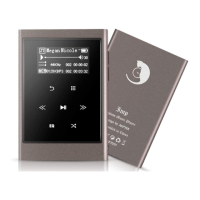
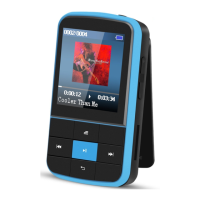
Operations on music playing interface
- While it’s on music playing interface, hold the button to fast forward,
tap to switch to next song; hold the button to fast rewind, tap to
switch to the previous song.
- Tap button to play/pause.
- Long press the button to turn on/off the lyrics display when lyrics file is
While it’s on music playing interface, tap button to access to the
The related list will show:
- "Home", go back to main interface.
- "Shuffle", choose to turn on/off shuffle mode.
- "Repeat", choose to repeat 1, repeat all, and preview or turn off repeat
function. The player would only play the first 10 seconds of a track and then
skip if you select option "preview".
- "Equalizer", choose from the 6 sound effects, or choose "off" to turn off
Note: You can also find "Equalizer" in "Set">"Sound settings".
- "Bookmarks", choose to add, delete or go to bookmark.
- "Variable speed playback", tap button / to adjust playback speed from
-8(Slowest) to +8(Fastest) and tap button to confirm.
- “Repeat settings”, A-B repeat settings:
1) Choose the option “Replay Mode”, tap button to confirm the starting
time A when A is flashing. Then tap the button to set the ending time
B when B is flashing. The passage from time A to B will be repeated
automatically. The icon for A-B indication will appear on the screen. Tap
button again to back to normal playback.
2) Replay times: Set the replay times from 1 to 10. Tap button / to
adjust the value and tap button to confirm.



 To Next Page