EasyManua.ls Logo

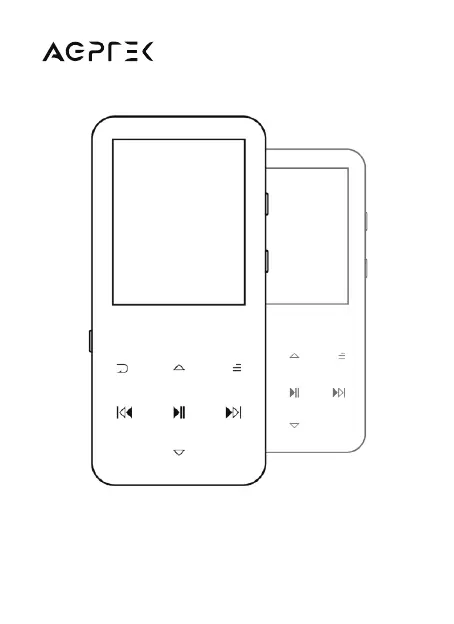
AGPtek A19 - User Manual

AGPtek A19
36 pages
Print Icon
To Next Page IconTo Next Page
Loading...
A19 MUSIC PLAYER
User Manual

Questions and Answers

  • C
    Cody SmithJul 28, 2025
    What to do if AGPtek A19 can’t download files from computer?
    • J
      James CooperJul 28, 2025
      If you're having trouble downloading files to your AGPtek MP3 Player, ensure that the device is properly connected to the computer. Also, verify that the internal memory of the MP3 Player isn't full. Finally, check the USB cable for any damage.
  • J
    James HarrisAug 1, 2025
    Why can't I download files to my AGPtek A19?
    • T
      Thomas CruzAug 2, 2025
      If you're unable to download files to your AGPtek MP3 Player, please check the following: 1. Ensure that the connection is properly established. 2. Verify that the internal memory of the device is not full. 3. Inspect the USB cable for any damage.
  • J
    jeffreyriversAug 7, 2025
    Why AGPtek A19 MP3 Player can't turn on?
    • C
      Curtis ClarkAug 7, 2025
      If your AGPtek MP3 Player won't turn on, the screen is blank, or the player has crashed, power off the player and try again. If the issue persists, updating the firmware might help.
  • G
    gutierrezrobertAug 12, 2025
    What to do if AGPtek A19 can’t be recognized when connected to computer?
    • E
      Edward HernandezAug 12, 2025
      If your AGPtek MP3 Player isn't being recognized when connected to your computer, try these steps: 1. Reconnect the device. 2. Restart your computer and then reconnect the player. 3. Try connecting the player to a different USB port. 4. Charge the player for about 10 minutes before reconnecting.
  • R
    Rachael BridgesAug 17, 2025
    What to do if my AGPtek MP3 Player is not recognized by computer?
    • J
      Joyce MartinezAug 17, 2025
      If your AGPtek MP3 Player isn't recognized when connected to your computer via USB, try these steps: * First, try reconnecting the device. * If that doesn't work, restart your computer and then reconnect the player. * As an alternative, try connecting your player to a different USB port on your computer.
  • S
    Steven BennettAug 22, 2025
    How to fix AGPtek A19 that won't turn on?
    • V
      Vicki AllenAug 22, 2025
      If your AGPtek MP3 Player won't turn on, the screen is blank or black, or the player has crashed, try powering off the player and then try turning it on again. If the issue persists, updating the firmware may help. Please check AGPtek website to download the firmware.

Summary

Important Notice

Charging the Player

Instructions on how to charge the AGPTEK Music Player using a computer or charger.

Product Overview

Buttons and Controls

Detailed explanation of all buttons and ports on the AGPTEK Music Player.

Basic Operation

Fundamental operations like power, screen lock, browsing, and volume adjustment.

Music Playback

FM Radio Operation

Bluetooth Connectivity

Voice Recorder

Video Playback

Settings

Help and Troubleshooting

AGPtek A19 Specifications

General IconGeneral
Storage8GB
Expandable StorageUp to 128GB via MicroSD card
Charging TimeAbout 2 hours
FM RadioYes
Voice RecorderYes
E-book ReaderYes, TXT format
Display1.8 inch TFT screen
Audio FormatsMP3, WMA, APE, FLAC, WAV
Video FormatsAMV
BluetoothYes
Dimensions95 x 45 x 10 mm
Weight50g

Related product manuals