EasyManua.ls Logo

AGPtek A65 - User Manual

AGPtek A65
55 pages
Print Icon
To Next Page IconTo Next Page
Loading...
AGPTEK
User Manual
A65 MUSIC PLAYER
English(01/12)
Deutsch(13/27)
Français(28/41)
日本語(42/52)

Questions and Answers

  • K
    Katrina FrancoJul 27, 2025
    What to do if my AGPtek A65 MP3 Player is not recognized by the computer via USB cable?
    • S
      Sharon AdamsJul 28, 2025
      If your AGPtek MP3 Player is not recognized when connected to your computer via USB, try the following: * Reconnect it. * Restart your computer and then reconnect the player. * Try connecting your player to a different USB port. * Charge the player for about 10 minutes before reconnecting.
  • T
    taylorhicksAug 11, 2025
    Why can't I download files from my computer to my AGPtek MP3 Player?
    • N
      Natalie CarsonAug 11, 2025
      If you can't download files to your AGPtek MP3 Player, please check the following: * Ensure the connection is properly established. * Verify that the internal memory of the player is not full. * Check the USB cable for any damage.

Summary

Important Notice

Product Overview

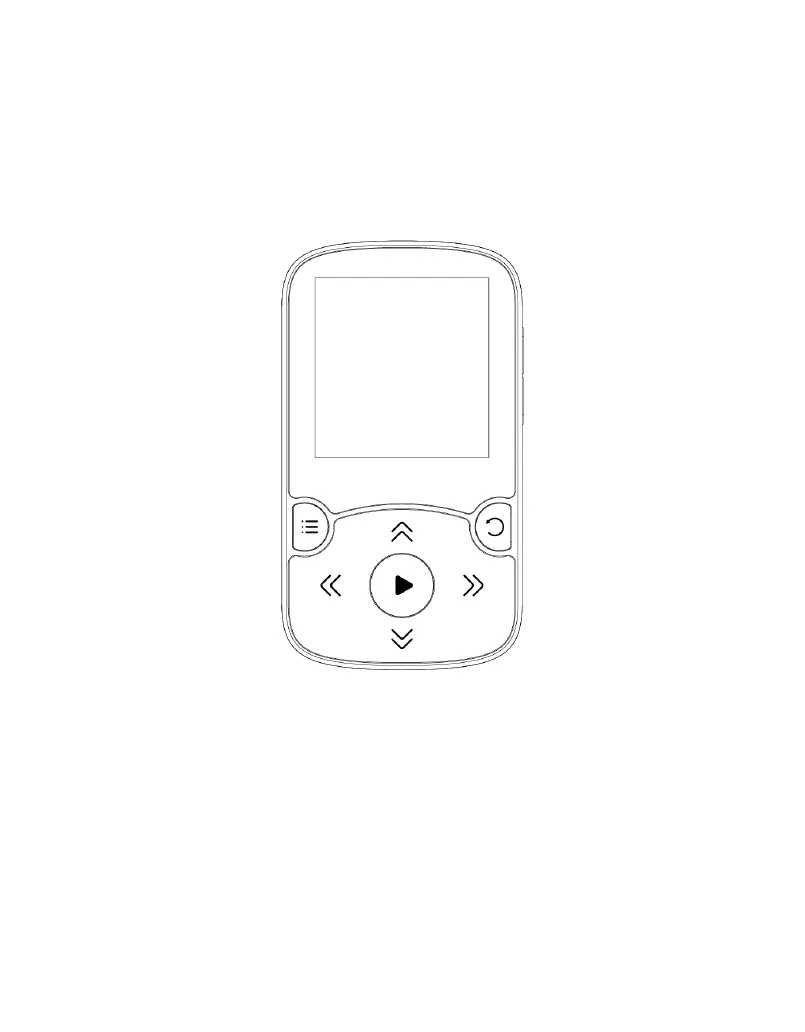
Buttons and Controls

Details the player's physical buttons and their functions, including power, volume, and navigation.

Basic Operation

Main Functions

Home Menu

The starting point for accessing all applications and features on the music player.

Music

Access music playback options, including resuming playback, viewing all songs, artists, albums, genres, and playlists.

Recorder

Start Voice Recording

Instructions on how to start, pause, and save voice recordings using the player.

Recordings Library

How to find and manage saved voice recordings, including options for deleting them.

Storage

Options for selecting internal or external memory for storing recordings, dependent on TF card insertion.

Rec Format

Selection of audio formats for recording, including MP3 and WAV with different bitrate options.

FM Radio

Presets

Lists all saved radio stations for easy access and selection.

Manual Tune;Auto Tune

Instructions for tuning into radio stations manually or using the automatic search feature.

FM Recordings

Accessing and managing recorded radio broadcasts, stored in the Recorder section.

Tools

E-Book

How to read e-books, turn pages, and access settings like autoplay and page color.

Video

Accessing and playing video files, navigating through videos, and adjusting playback settings.

Photos

Viewing pictures, navigating between images, and accessing photo viewing interface settings.

Calendar

Functionality to switch between year, month, and day views, and select specific dates.

Stopwatch

How to start, stop, and resume the stopwatch, and set a new one.

Clock

Setting alarms, alarm times, cycles, music, and volume preferences for the clock function.

Settings

Language;Language

Option to choose and change the display language of the user interface.

Date & Time

Setting the device's date and time, including format and adjusting year, month, day, and hour.

Display Settings

Adjusting screen brightness, backlight timer, and screensaver settings for optimal viewing.

Shutdown Settings

Configuring sleep timer for automatic shutdown or power-off after inactivity.

Information

Checking player information, including disk space and firmware details.

Format Device;Factory Settings

Restoring the device to factory default settings or formatting the device.

Folder

Bluetooth

Pedometer

Start

Initiates step counting and saving records, with options to stop and save.

Personal Info

Setting personal details like height, weight, and step length for accurate pedometer tracking.

History

Viewing saved step records, with the ability to store up to 7 records.

Clear History

Options to delete specific history records or clear all recorded steps.

Help and Troubleshooting

How to Reset the Language?

Provides two methods to reset the player's interface language to a preferred setting.

Cannot Turn On Player or Screen is Blank;Black; Firmware Bug

Troubleshooting steps for power issues, blank screens, or firmware-related problems, including firmware updates.

Cannot Download Files from Computer

Solutions for issues preventing file downloads from a computer, such as connection or storage problems.

Cannot Recognize Player via USB Cable

Steps to resolve problems where the computer does not detect the player when connected via USB.

Specifications

AGPtek A65 Specifications

General IconGeneral
Storage Capacity8GB
Video FormatsAMV
Bluetooth4.0
Charging Time2 hours
Display1.8 inch TFT screen
Audio Formats SupportedMP3, WMA, APE, FLAC, WAV
Expandable MemoryMicroSD card
Additional FeaturesFM Radio, Voice Recorder

Related product manuals