Important Notice
Charge the Player
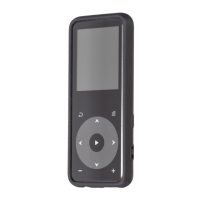
Thank you for purchasing AGPTEK Music Player. Please read the
manual carefully before using the product. Specifications are
subject to change without prior notice.
Connect to the PC & Download audio files
1. Open the Windows Explorer or "This PC".
2. Using the USB cable, connect the player to a USB port on your
PC.
3. Open the new "AGP-A19" folder under "This PC".
4. Copy files to the "AGP-A19" in which you want them to play.
5. In the left sidebar, right-click the "AGP-A19 " folder and select
"Eject" from the menu.
6. Wait until the computer confirms a safe ejection before you
unplug the USB cable.
7. Note: Please do not disconnect the USB plug during file
transferring. It may cause malfunction of the player and the files.
• Charge by computer USB port.
• Use 5V/500mA charger (Charger not included).
01



 To Next Page