Music
Find “Music” on home menu with button to access to its function.
A related list will show:
Back to Home/Play Mode/Sound Settings/Bookmarks/Add
to Playlist/Remove from Playlist/ Delete.
1. Back to Home. Choose to go to home menu.
2. Play Mode.
A. Play music from. Choose to play from All Songs/This
Artist/Album/Genre.
• All songs.
• Resume/Now Playing.
• Artists/Albums/Genres.
• Playlists. There are 3 default playlists on the player: Playlist
[1]/[2]/[3].
• Update Playlist. Update music files.
• Local Folder/Card Folder. View music file in the local folder or
card folder.
Note: These functions only available when memory card inserted.
Play the music.
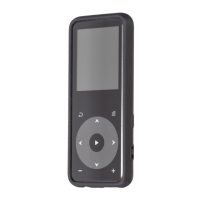
While it’s on music playing interface, hold down the button to
fast forward, and press it to skip to next track. Hold down the
button to fast rewind, and press it to play the previous track.
Press button to play/pause.
While it’s on music playing interface, tap button to access to the
submenu.
Main Functions
Home Menu
The home menu is the starting point of each application. There are
9 functions on the home menu: Music/FM Radio/Folder/Bluetooth/
Recorder/Video/E-book/Tools/Settings.
03
B. Repeat. Choose repeat mode: Repeat Off, Repeat 1, Repeat All.
C. Shuffle. Enable shuffle mode.



 To Next Page