
 Need help?
Do you have a question about the AGPtek S200 and is the answer not in the manual?
Lists items included in the product packaging.
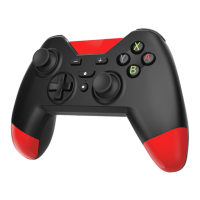
Details the layout and function of controller buttons and ports.
Step-by-step guide to connect controller to Nintendo Switch via Bluetooth.
Adjusts the intensity of vibration feedback.
Connects the controller to the Switch using a USB cable.
Connects the controller to PlayStation 3 via USB cable.
Connects the controller to a PC using a USB cable.
Connects the controller to a PC via Bluetooth.
Connects the controller to Android devices via Bluetooth.
Automatically connects to the last paired device.
Enables rapid firing by holding a button.
Resets the controller to its default state.
Instructions on how to update the controller's firmware.
Explains LED indicators for battery status and charging.
Troubleshoots connection problems with the Nintendo Switch.
Addresses problems using the controller with a PC via Bluetooth.
Explains limitations of shock and motion features on certain Switch games.
Discusses compatibility issues with Android games.
Provides solution for an unresponsive controller via reset.
 General
| Brand | AGPtek |
|---|---|
| Model | S200 |
| Category | Video Game Controller |
| Language | English |

 To Next Page