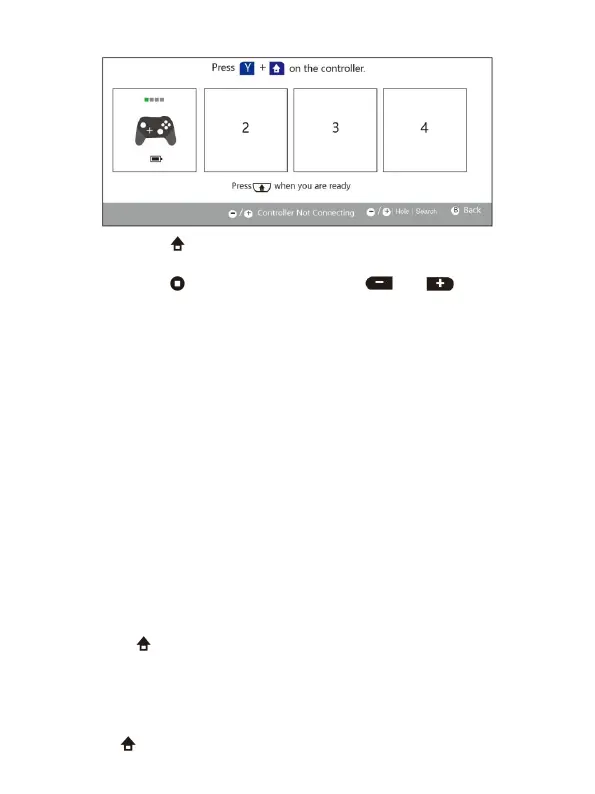
4. After successful connection, the Switch will display the below figure.
5. Finally, press the button to return to the desktop.
Press and hold the button, and then press or is to adjust the
Use for Switch (Via wire)
1. Put the Switch into Switch base, and then connect the controller through
USB cable. At this point, the controller will automatically connect to the
2. After unplugging the USB cable, the controller will automatically connect
the Switch through Bluetooth.
Connect the controller to PS3 via the USB cable. After connecting
successfully, you should unplug the USB cable. The controller will
automatically pair with Bluetooth of PS3. After pairing successfully, the
controller will automatically connect with PS3 when booting up next time.
Use for windows PC (Via wire)
Directly connect through the USB cable
Use for windows PC (Via Bluetooth)
1. Turn on the Bluetooth function of the computer, if the computer doesn't
equipped with Bluetooth, you need to buy a Bluetooth adapter first.
2. Press Y and
together
until the LED indicators flash. Turn on Bluetooth of
the computer and start to search for your controller. Click the AGPTEK-S205
and then pair with the computer after a successful search.
3. If you need a password, please input 0000 or 1234.
Use for Android (Via Bluetooth)
Press B and together until the LED indicators flash. At this point, you can


 To Next Page
 Loading...