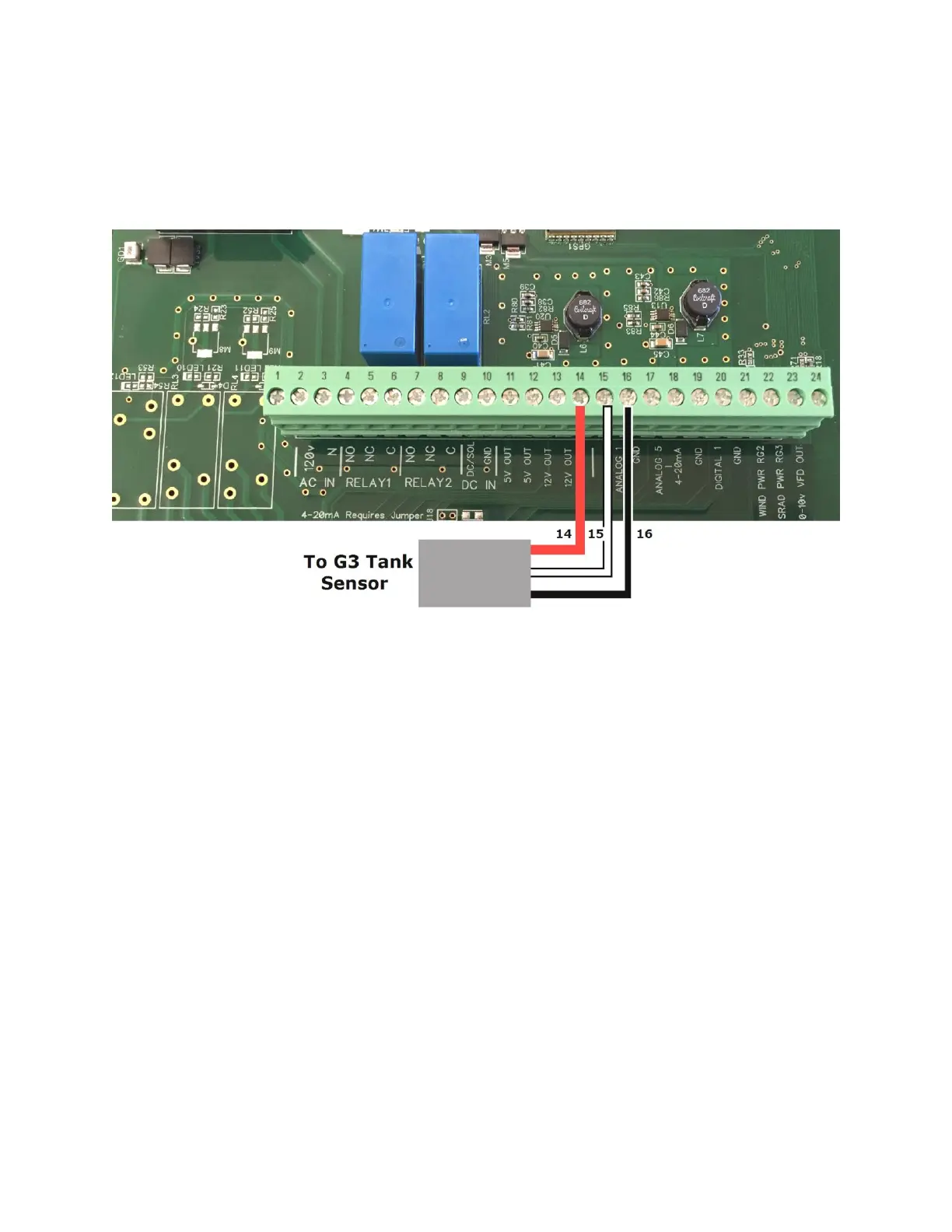
Wiring the G3 Tank Monitor sensor
to the Crop Link Unit
1. Connect the Red wire from the Tank Monitor Sensor to the terminal marked 12V
OUT as shown above.
2. Connect the Black wire from the Tank Monitor Sensor to any terminal marked GND
as shown above.
3. Connect the White wire from the Tank Monitor Sensor to the terminal marked AN1
as shown above.
Note: Repeat steps 1-2 for a second Tank Monitor sensor, but connect the White wire to AN2
instead.
Page 4



 To Next Page