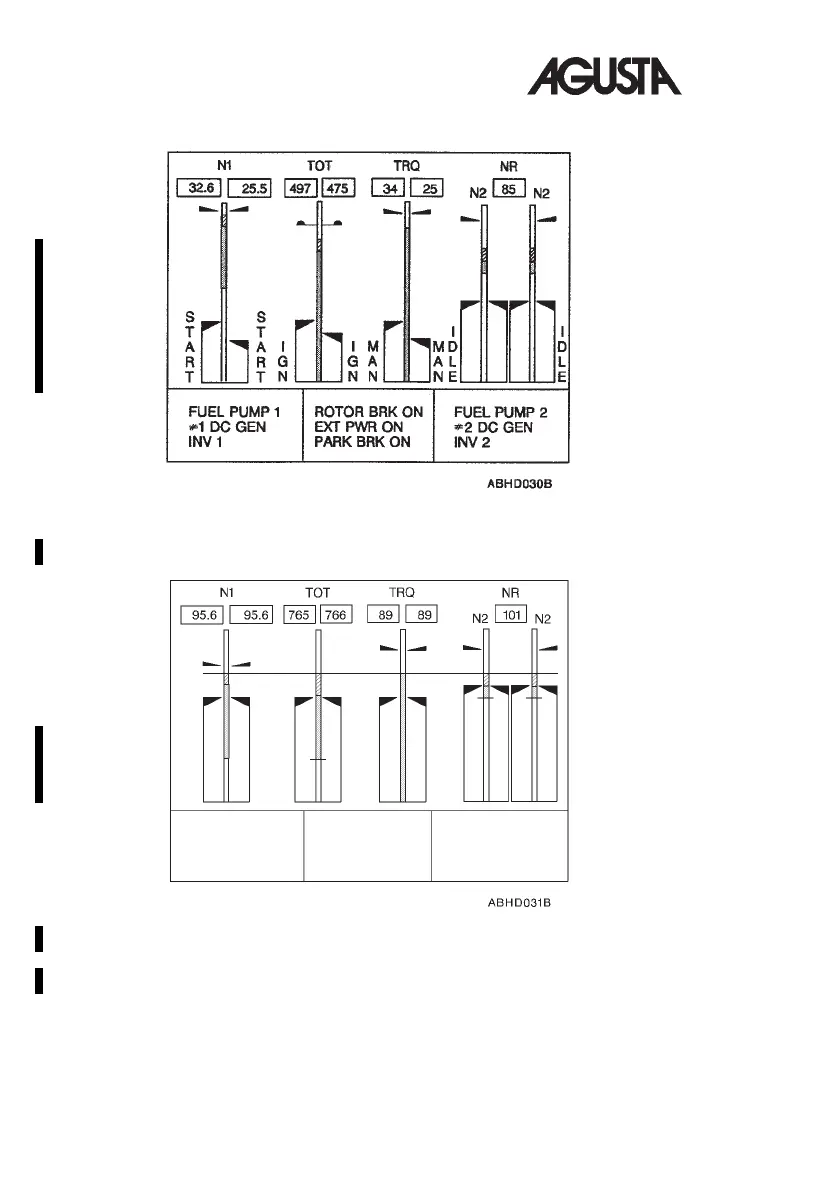
The START mode is displayed when selected by the START key on EDU 1.
The CRUISE mode is displayed upon IDS initialization and/or when selected
by the CRUISE key or automatically at the end of the start sequence. It is also
displayed automatically on both EDUs in case of complete loss of secondary
data.
The cruise (AEO) format is presented also in REVERSIONARY mode.
Fig. 1-7. EDU1-STARTMode (AEO)
Fig. 1-8. EDU 1 - CRUISE Mode (AEO)
RFM A109E
1-20 R.A.I. Approved
Rev. 2


 To Next Page