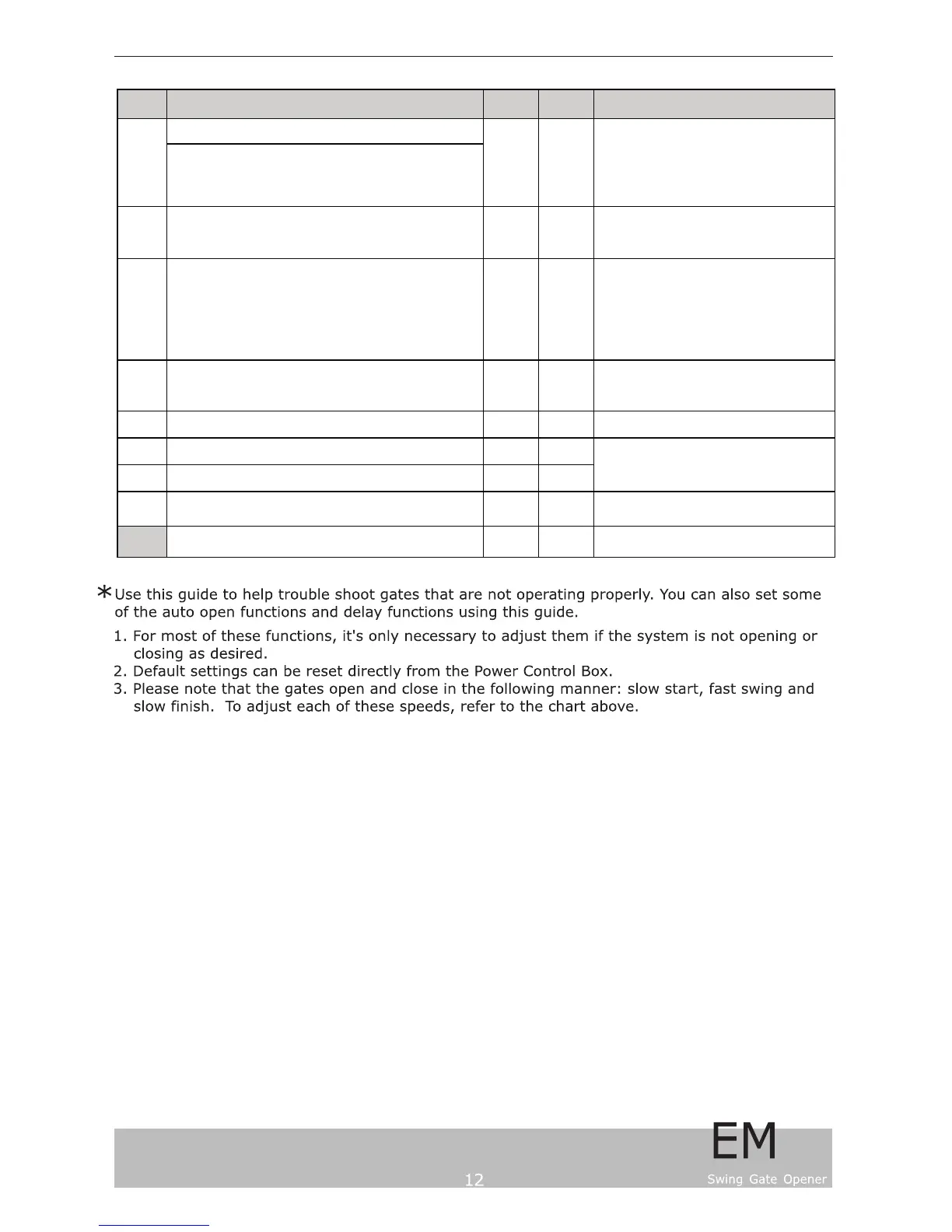
Item Name / Explanation
Setting
Range
Default
Setting
REMARKS
Time of auto close.
If you choose "0", the gate system will not have auto
closing function.
If you choose "10", it means the gates will automatically
close 10 seconds after completing its opening.
C4
Time delay for opening, and delay for closing.
During opening, motor B will open a little later than motor A
During closing, motor A will close a little later than motor B
0.1~9.9s 2
Delay activating time for remote control button
(for avoiding misoperation)
If choose " 0 ", normal operation
If choose " 1 ", delay 2 seconds then start the operation
If choose "2", first press stop button for 2 seconds,
then close /open button to activate the operation
C8
Battery capacity display
Below 30 = Battery soon will be run out
99 = Fully charged
0~99
C9 Reserved terminal for maintainance and testing
D0 PCB Model Number
D1 PCB Software version
D2
Restore default setting
" 09 " = restore factory settings
0
C8 Self-learning feature
Press & hold "Enter" button to turn to self-
learning mode
C5 00~2
C3 0~99s 0
Display PCB Model & Software version
Number


 To Next Page