04 05
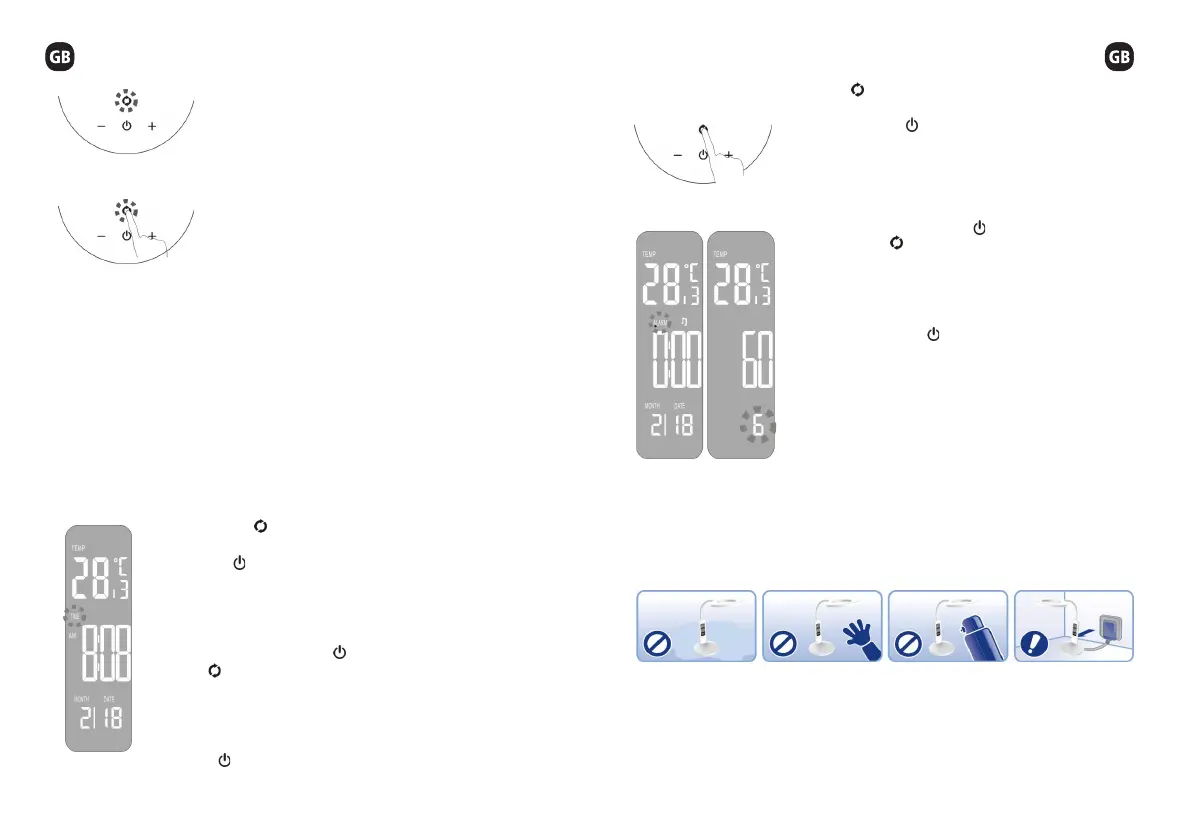
Press the to switch to ALARM setting mode, the
relevant data on the LCD screen will keep ashing. Each
time you press the , the current state of setting will be
in order [hour - minute - ring time(second) - music - quit],
multiple buttons, loop through . Pressing the “+” “-” keys to
adjust the data under the current state when you choose
the specic mode.
In the setting mode, press the to quit the function in
order, press the to quit directly and switch to other
mode [TIME OR ALARM] or quit the setting mode in 1
minute without any operation. All the setting data will be
saved and the LCD screen will reveal the setting data.
In the ALARM setting, when it’s time for ringing, if the
ring time is 60s, press to cancel it or any other key to
pause. The default time of the snooze mode is 60mins,
also you can change the time from 1-60mins.
There are 8 different alarm music for your choice. In the
ALARM mode, short touch (more than 3s), “+”key can
turn on or turn off the alarm clock icon. When the icon is
off, the lamp will not alarm you when it is time for ringing.
CAUTION
The CT button: Dimmer 5 grades [1 / 2 / 3 / 4 / 5
levels] to change the color temperature, cycling in
order and it is also the function key of the calendar.
And the buzzer will alarm on each touch
Calendar Setting Mode: Initial power-up, the LCD
screen will show the time, month, date, days and
temperature, twelve hours shift at the initial time.
The default time is Sunday, 12:00pm, 1st, Jan, 2017.
One of the icon of AM/PM will be revealed during the
twelve hours shift.
Long touch (more than 3s) to enter the calendar setting mode. The calendar mode
including TIME and ALARM. Every time you enter the calendar setting mode, it
will stay in the TIME mode, the relevant setting date will keep ashing at the same
time.
Short touch: To switch the modes of TIME OR ALARM.
When you choose the mode you want, touching the on/off key to choose the
function in the current mode. Using the “+” “-” key to adjust the function you have
chosen.
Touching the key to switch the mode to set the TIME, the
relevant data on the LCD screen will keep ashing. Each time
you press the , the current state of setting will be in order [hour
- minute - year - date - quit], multiple buttons, loop through .
Pressing the “+” “-” keys to adjust the data under the current state
when you choose the specic mode.
In the setting mode, press the to enter the function in order,
press the to quit directly and switch to other mode [TIME
OR ALARM] or quit the setting mode in 1 minute without any
operation. All the setting data will be saved and the LCD screen
will reveal the setting data. In the TIME setting, you can switch
the 12 hours shift and 24 hours shift by short touch the “+” key
after using key to switch the [time - minute - year - month -
date].
TIME MODE
Temperature mode: Showing the current temperature in the environment. Pressing
the “-” key to switch the temperature modes from Celsius degree to Fahrenheit
degree when the calendar is not under setting mode.
Do not use the lamp
in damp or dusty
environment.
Do not touch the
tube when the lamp
is turned on. High
temperature can
cause burns or
injuries.
Do not use solvents,
abrasives or aerosol
cleaners to clean the
lamp; discolor may
occurs.
If not using the lamp
for an extended
period of time, unplug
the power cord plug
from the outlet.


 To Next Page
 Loading...