
 Need help?
Do you have a question about the AiLi TK15 and is the answer not in the manual?
Details key parameters like voltage range, power consumption, and accuracy.
Explains the symbols and values shown on the battery monitor display.
Guide on cutting the panel opening and mounting the coulometer.
Procedure to set the battery's rated capacity in Amp-hours.
Steps to initialize capacity by full charge or discharge.
Configure voltage for automatic zero resetting of capacity.
Describes how the monitor functions during charging/discharging.
Important safety and environmental warnings for the monitor.
This document describes a high-precision current-type battery capacity monitor, also known as a coulometer, designed to test the voltage, current, and capacity of a battery in real time. It helps users understand the battery's state and features a memory function. The device is suitable for mobile and portable equipment powered by batteries, such as RVs, marine vehicles, mobility vehicles, remote power systems, instruments, and UPS.
The monitor supports a wide range of battery types, including Lithium, Lithium Iron Phosphate (LiFePO4), Lead-Acid, and Nickel Metal Hydride batteries, with a working voltage from 8V to 100V.
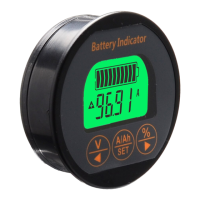
The device displays various parameters, including present voltage (V), present current (A), present capacity (Ah), and capacity percentage. The display includes a battery symbol, charge indicator, and discharge indicator.
The monitor requires careful wiring to ensure accurate readings.
Important Connection Note: The shunt must be connected to the negative circuit, not the positive. If extending the shielded wire, use the same cable/wire specification.
Set Rated Capacity:
SET key to enter the capacity reading interface, then hold the SET key for 3 seconds to enter capacity setting mode. Use the A/Ah or % keys to adjust the value, then press SET to confirm.SET to enter the percentage reading interface and hold SET for 3 seconds to set the capacity to zero. Fully charge the battery; the displayed capacity will then be the actual capacity. Finally, set the rated capacity to this displayed value.Capacity Initialization:
SET to enter the percentage reading interface, and hold SET for 3 seconds to set the capacity to full. Alternatively, fully discharge the battery and hold SET for 3 seconds to set capacity to zero. This calibration is only needed if the battery is replaced.Preset Voltage Setting (Capacity Automatic Zero Resetting):
SET to enter the voltage reading interface, then press A/Ah for 3 seconds to enter the zero capacity voltage setting interface. Click A/Ah or % to adjust the value, then press SET to confirm. When the voltage drops below this preset value, the Ah and percentage readings will reset to 0, and the backlight will turn off.A/Ah to cycle through voltage, capacity, current, and capacity percentage interfaces.The device has a memory function, retaining capacity information even when powered off.

 To Next Page
 General